What Is a GIF Comic?
A GIF comic is a comic whose panels are short looping animations instead of still pictures. It is not a cartoon: there is no soundtrack, no timeline and nothing to press play on. The reader still moves through the panels in order and reads the captions and dialogue at their own speed. Inside each panel, a small action repeats, about 2 seconds at a time, so the scene feels alive while the story stays on the page.
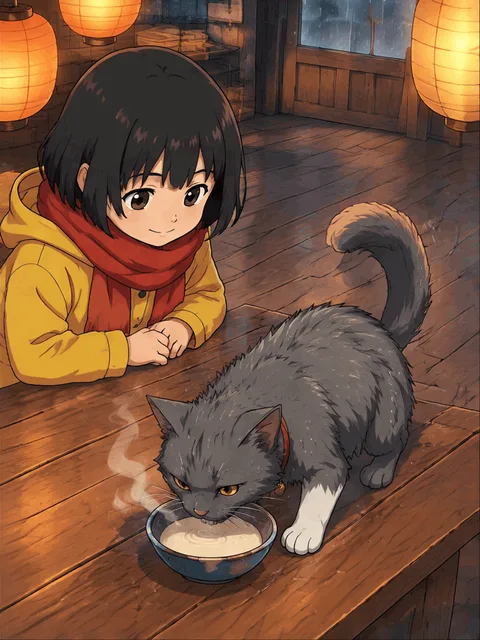
The format has been around as long as the GIF itself; webcomic artists hand-animated a few panels per strip for years. What used to take an evening of frame-by-frame drawing per panel can now be generated. The panel below is the first one from "The Lantern Keeper's Cat", an eight-panel animated comic made in Comicory.
How GPT Image 2.6 Draws a 12-Frame Loop
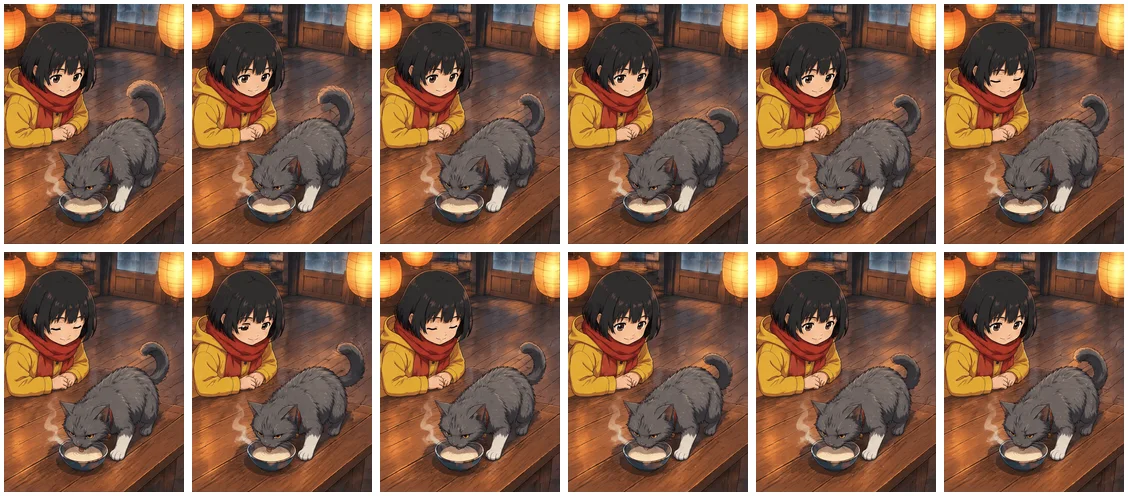
GPT Image 2.6 is OpenAI's image model, and the version Comicory uses can return an animation instead of a single picture. For each panel it draws 12 frames of the same shot in one pass, and those frames play in a loop, each shown for 160 ms, which makes a loop of about 2 seconds. Because all 12 frames come from one generation, the character, the background and the lighting stay put; only the parts that are meant to move change from frame to frame.
That is also the limit of the format. 12 frames is enough for steam rising, a blink, a tail flick or petals drifting, and not enough for someone to cross a room. The strip below is every frame of one panel laid side by side: watch the steam over the bowl, the cat's tail and the girl's eyes, and notice that nothing else moves.
Story to GIF in Comicory, Step by Step
Comicory's text to GIF flow is the same one it uses for still comics, with one switch flipped at the start. You write a story; the AI turns it into a script of panels, a cast and places; you check the script and the price; then every panel is drawn as a loop.
Open the Create page with Animated preselected, type a few sentences of story and pick an art style. The Comic type chip under the story box chooses between Still and Animated, and shows the price per panel before you commit to anything.
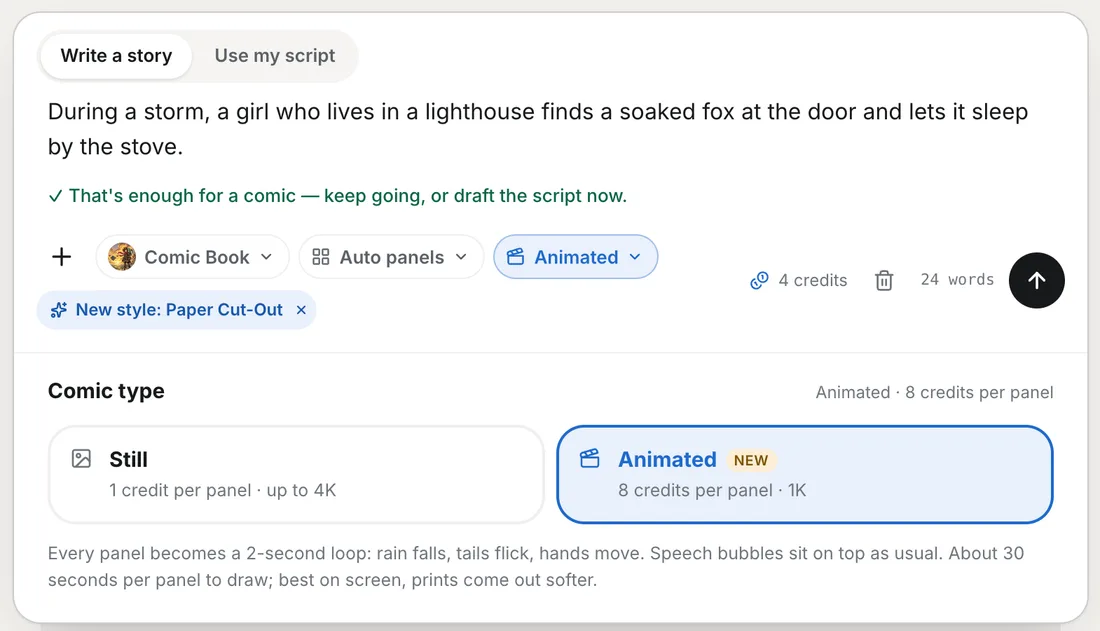
1. Write the story and choose Animated
A short paragraph is enough; a whole chapter works too. Animated is available for stories you write in the box (Write a story). It is not offered for Use my script, screenplays or picture books.
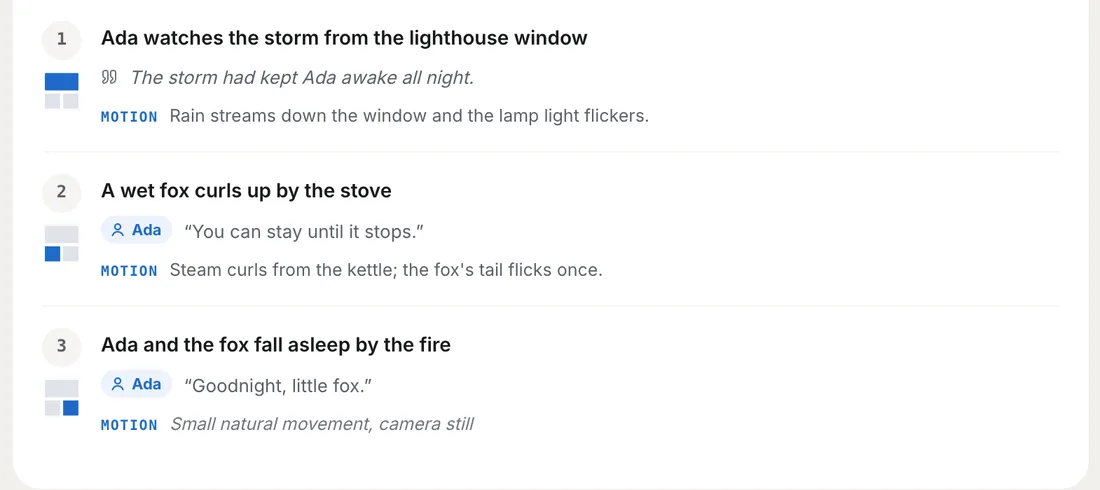
2. Check the script and its motion lines
Drafting the script costs 4 credits, as it does for a still comic. In an animated script, every panel gets a MOTION line next to its description and dialogue: one sentence saying what moves in that loop. You can edit any of them before anything is drawn.
3. Confirm the price and draw
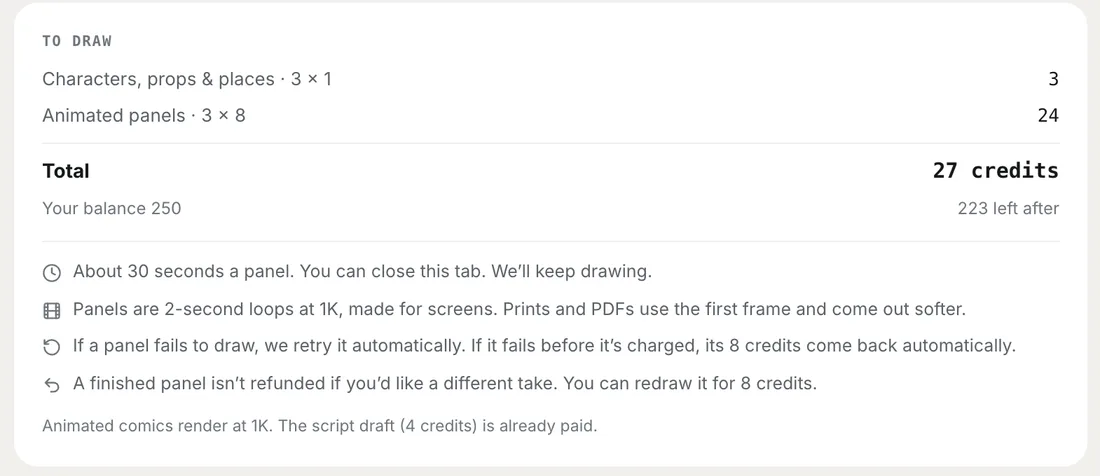
The order card lists the reference drawings and the animated panels separately, with a total and your balance. Each panel takes about 30 seconds, and you can close the tab while it draws.
4. Read, share and continue
The finished comic plays in the reader, on its share link and in the Gallery if you publish it. A Bubbles switch hides the speech bubbles so you can watch the panels on their own. Continue Story adds a next chapter, and every chapter of an animated series stays animated.
Writing Motion That Animates Well
Most of what makes a GIF comic look good is decided by the motion line, and the rule is simple: keep the camera still and let the world move a little. A loop of 2 seconds has no room for a pan, a zoom or a cut, so ask for none. Ask instead for small, natural movement: a blink, a breath, hair or a scarf stirring, a tail flick, a hand tapping.
Environmental motion works best of all, because it loops without looking repetitive: rain on a window, steam from a cup, a candle flame, falling snow, drifting petals, lantern light, waves, leaves. One or two of these per panel is plenty. Comicory already asks for a fixed camera and no text on every animated panel, and a panel left without a motion line gets subtle natural movement: breathing, hair and clothes stirring slightly.
Avoid big actions such as running, jumping, punching or a door swinging open. They need more than 12 frames, so the loop either freezes mid-move or snaps back at the end. And keep words out of the picture: signs, letters and sound effects drawn into the image tend to wobble from frame to frame. Dialogue belongs in the speech bubbles, which sit on top of the loop and stay perfectly still.
What Good Motion Looks Like in a Finished Comic
These are the last two panels of "The Lantern Keeper's Cat". Both use the same recipe: a fixed camera, one background effect and one small movement from a character. Neither asks for anyone to walk, turn or pick something up, and neither has any lettering drawn into the image.
Keeping Characters Consistent Across Animated Panels
A GIF comic has two consistency problems instead of one: the character has to stay the same within a loop, and from one panel to the next. The first is handled by the model drawing all 12 frames together. The second is handled the way Comicory handles it for still comics: before any panel is drawn, each character and each place gets a reference drawing, and every animated panel is drawn from those references.
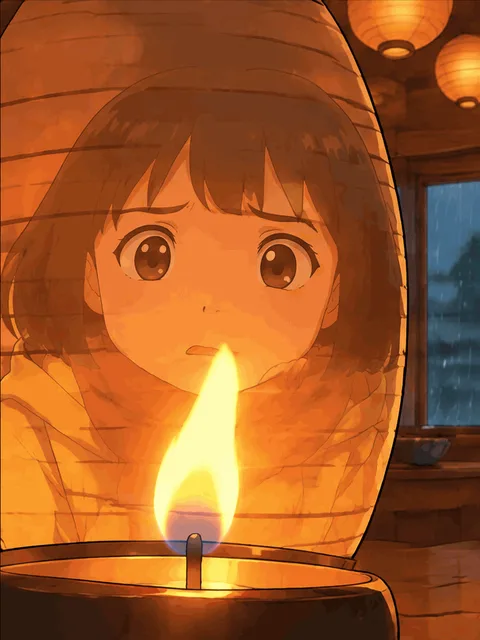
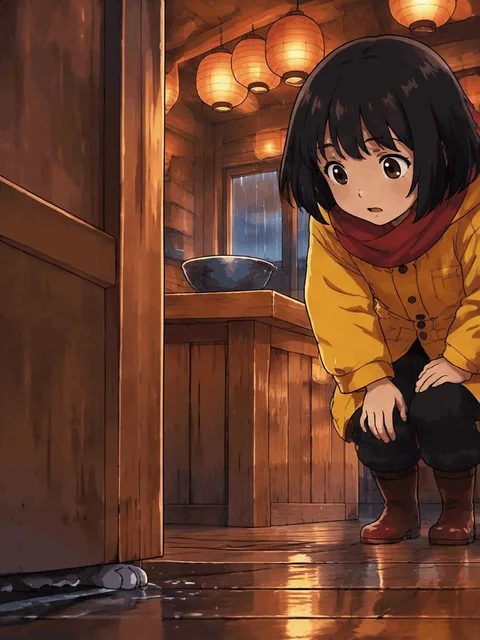
Reference drawings are still images and cost 1 credit each, the same as in a still comic. Characters you uploaded yourself cost nothing to reuse. The three panels below come from different moments of the same comic; the girl's bob, yellow coat and red scarf carry through all of them.
Cost and Limits, Stated Plainly
An animated panel costs 8 credits, whatever the shot and however many characters are in it. A still panel at 1K costs 1. Everything else is priced as usual: 4 credits for the script draft and 1 credit for each character or place reference that has to be drawn. A typical eight-panel comic with two characters and one place therefore costs 4 + 3 + 64 = 71 credits. Redrawing a finished panel costs 8 again. The 8 credits are taken when a panel starts drawing. If the image model fails before it charges for the try, they come back automatically. If it charged for the try and the panel still failed, those credits are kept, and you can redraw the panel.
The 10 credits a new account starts with cover the 4-credit script and a reference drawing or two, but not a single animated panel. You can draft the script and see the cast, and the panels stay locked until you add credits. The pricing page shows how many animated panels each plan covers.
The limits: animated panels are drawn at 1K only, with no 2K or 4K. Each one takes about 30 seconds. PDF and other exports use each panel's first frame, so an exported GIF comic is still, and a little softer than a still comic drawn at a higher resolution. Fix area, splitting or merging panels and adding a panel are not available on animated comics yet. Restyle is: it makes a new animated comic in the style you pick, at the same 8 credits a panel.
See Animated Comics Others Have Made
The quickest way to judge the format is to read a few. The Gallery has an Animated filter that shows only GIF comics people have published; hover a card to see it move. Then try your own: a rainy night, a quiet kitchen or a festival at dusk are all good first stories, because the setting already wants to move.
