Why AI Characters Drift Between Panels
An image model draws every panel from scratch. When a panel is generated from text alone, the description is the only thing tying it to the panel before it, and a description leaves almost everything open. "Woman in her late 20s, long wavy auburn hair, mustard-yellow raincoat" fits thousands of different faces, and the model picks a new one each time. Change the camera angle, the lighting or the setting, and the pick moves further.
That is why prompt tricks only go so far. Repeating the description word for word, adding a seed or listing more adjectives narrows the range, but each panel is still a fresh guess. What a comic needs is one specific face that every panel copies.
Draw the Character Once, Then Reuse the Picture
The reliable method is a character reference: draw the character once, on a plain background, and pass that image into every panel the character appears in. Image-to-image models treat the reference as the thing to reproduce and the panel prompt as what to do with it, so the face, hair, build and clothes carry over while the pose, angle and setting change.
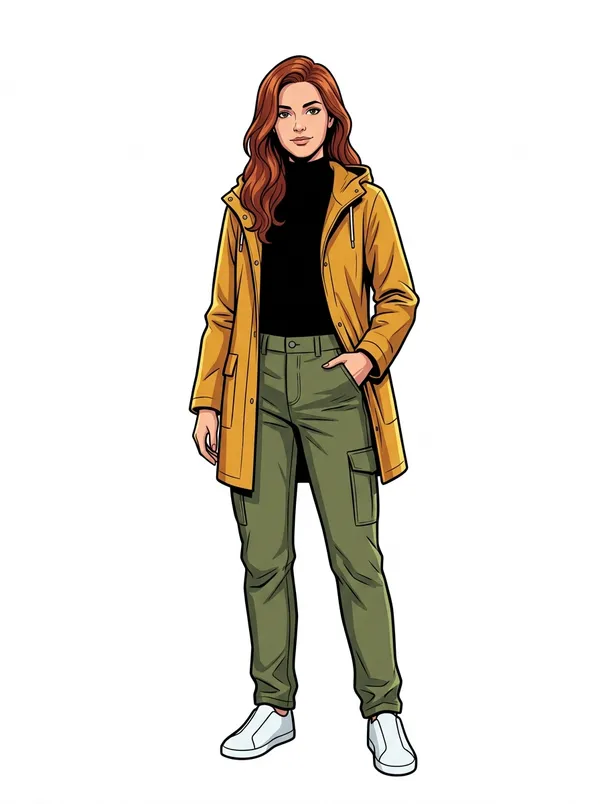
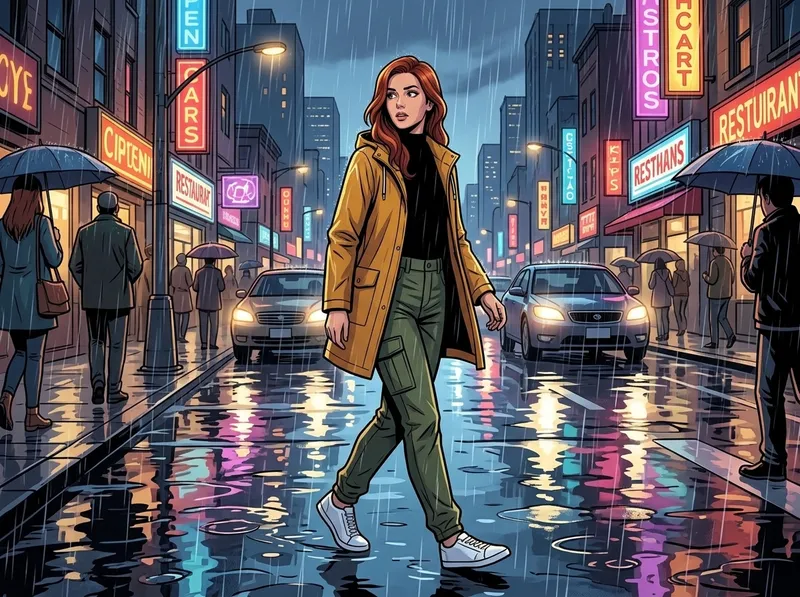
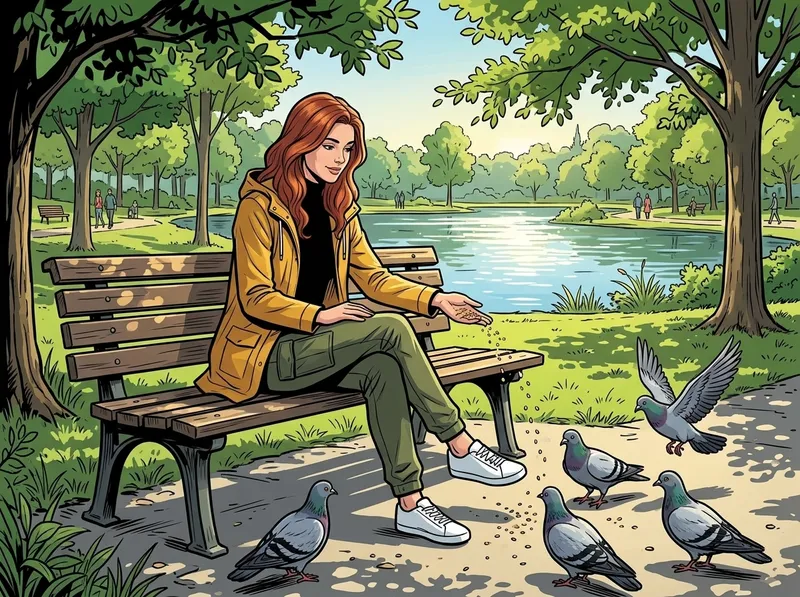
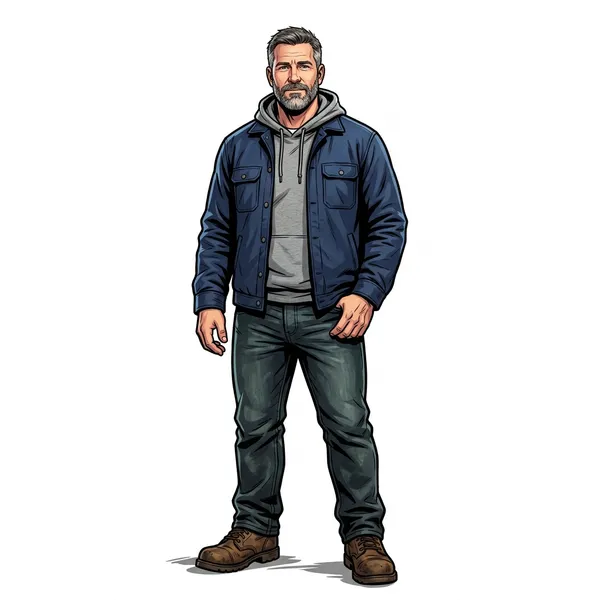
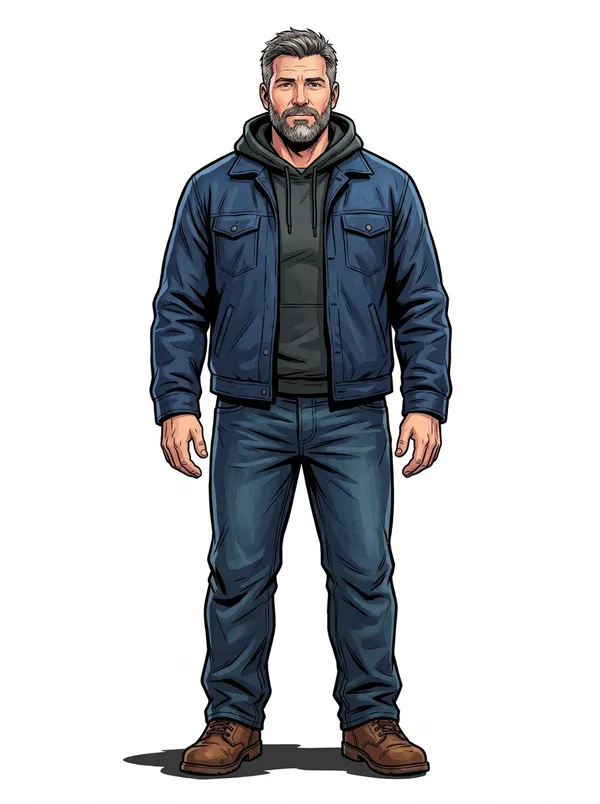
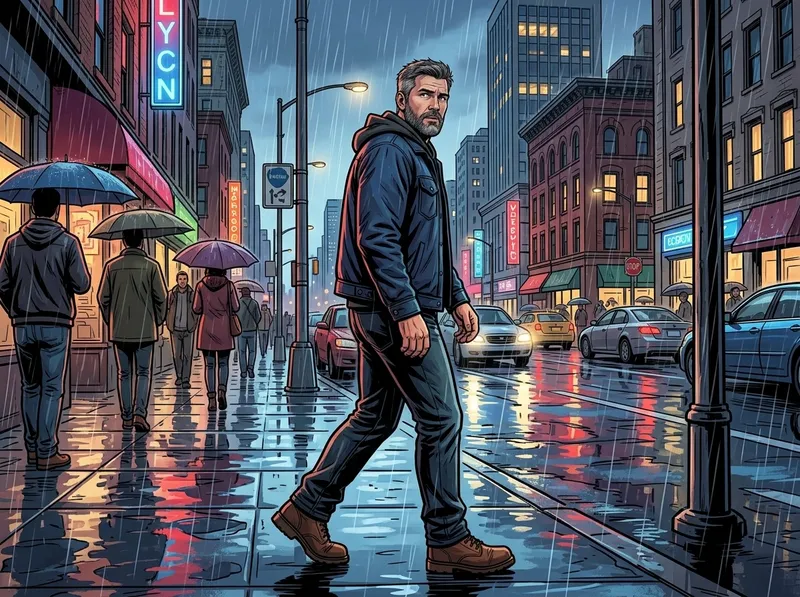
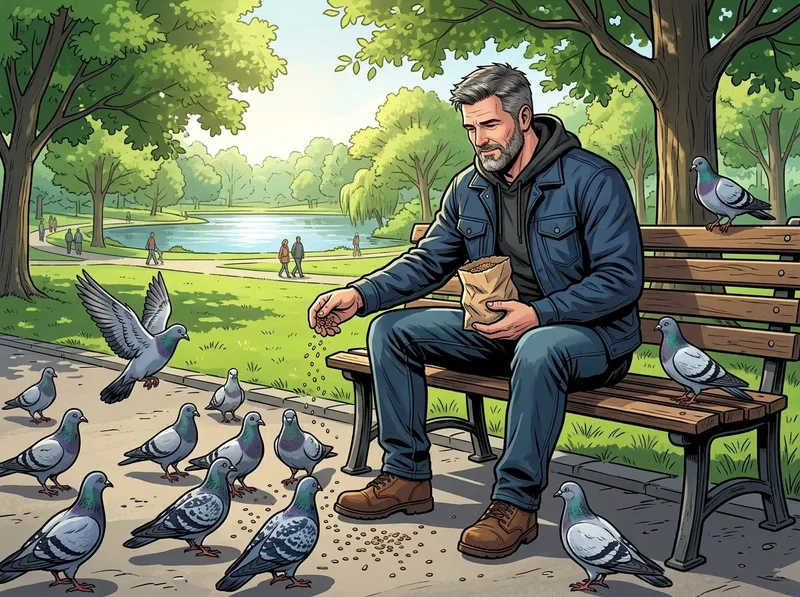
This is how Comicory works: it draws a reference for each character in your cast before any panel renders, then conditions every panel on that drawing. The three images below are one synthetic test character: the reference, then two panels in different places, light and weather.
Frame the Reference as One Full-Body Figure
What the reference shows is what panels can copy. Draw the whole figure, head to shoes, alone, facing the viewer, on a plain background. A reference cropped at the waist leaves the model to invent trousers and shoes in every full-body panel; a busy background leaks into scenes where it doesn't belong; a turnaround sheet with three views tempts the model to put three copies of the character in one panel.
The shape of the canvas matters too. A standing person is tall and narrow, so on a square canvas the figure is small and the sides are empty, and empty space is where a model is most likely to add something, such as a second copy of the person. In October 2026 we tested square against 3:4 portrait references on four synthetic characters. Neither shape produced a duplicate in that run, but the portrait figures came out about one and a half times larger, with more detail in the face and clothes for panels to copy, and panel consistency was just as good. Comicory now draws every character reference as a 3:4 portrait.
Describe Fixed Traits, Not Moods
The character description is copied into the reference and, in most tools, into every panel prompt. Anything you put there is locked in for the whole comic. Keep it to what never changes: age, build, hair, skin, eyes, clothes, accessories, and for animals or creatures, species and posture ("anthropomorphic red fox, bipedal").
Leave expressions and emotions out. A description that says "a crooked half-smirk" or "a stern, serious look" will put that face on the character in every panel, including the one where they are meant to be crying. Each panel's emotion belongs in that panel's own description.
Pick One Reference and Stop Re-Rolling It
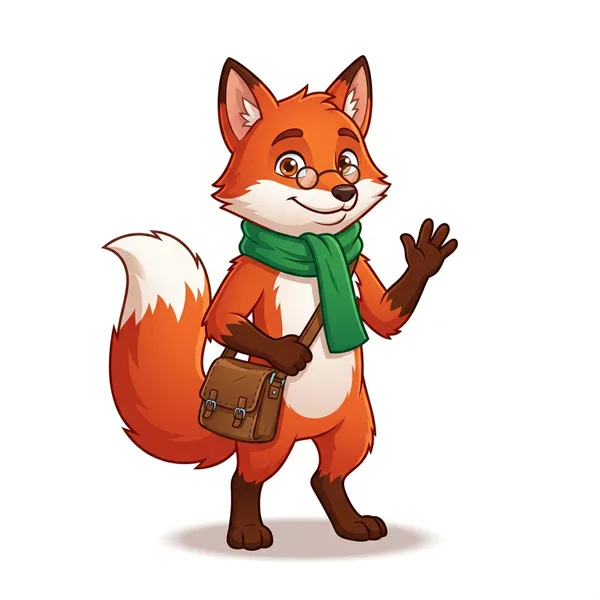
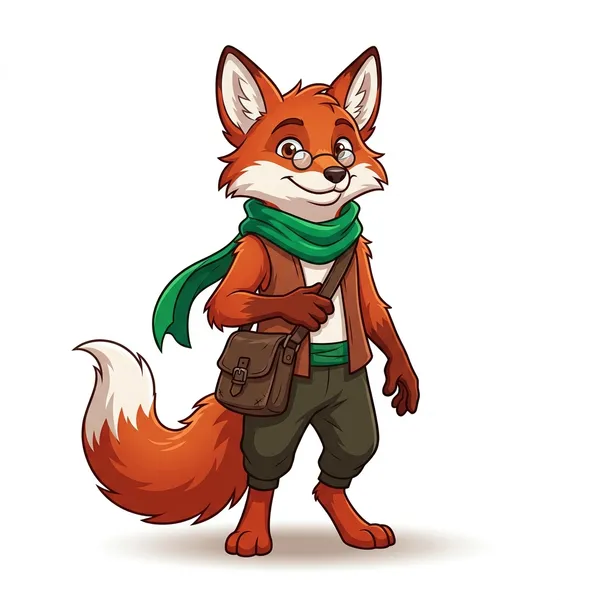
Two references drawn from the same description will not be identical. In our test, the fox below was drawn twice from one description that never mentioned trousers; the second drawing gave him a pair. Either one would work as a reference, but switching between them halfway through a comic is a guaranteed way to make him change.
So choose the reference you like before the panels start, and keep it for every chapter. If a detail is wrong, redraw the reference and then the panels, in that order. Fixing a panel by hand while the reference stays wrong only means fixing the next panel too.
Check Consistency the Way a Reader Would
Readers recognize a character by a handful of cues, so check those rather than the whole image. Put a wide panel and a close-up of the same character side by side and look at the hairline and hair color, the face shape, the main garment and its color, and one distinctive accessory: glasses, a scarf, a bag. If all of those match, small differences elsewhere won't be noticed.
Pay attention to accessories in particular. They are small in wide shots, so a model drops them more often than it changes a face, and a missing pair of glasses is the kind of detail readers do spot. When one panel loses one, redraw that panel instead of the whole page.
Describe Once, Reuse the Character in Any Style
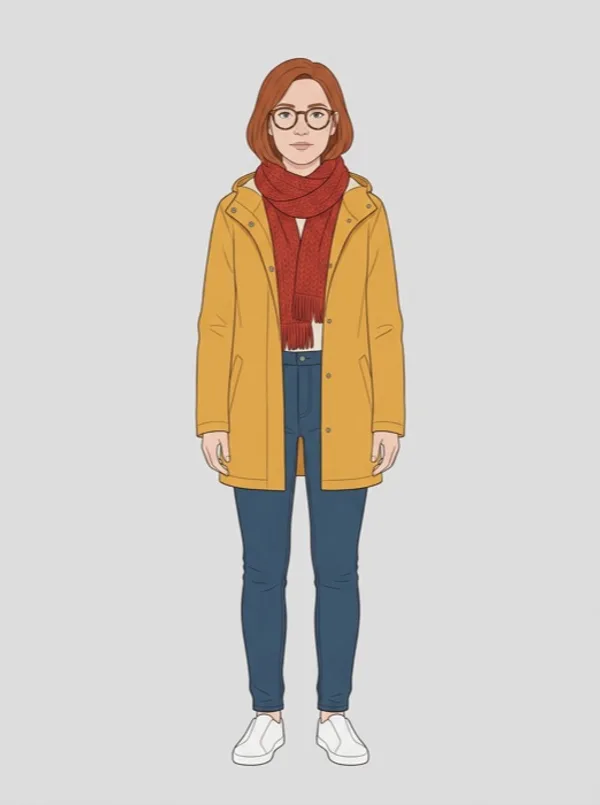
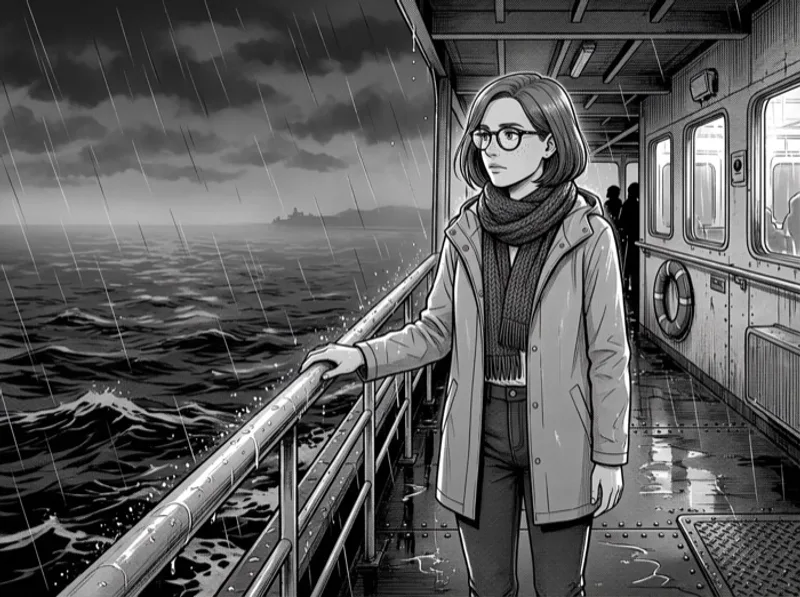
A reference does not have to share the comic's art style. If the reference itself is drawn in a plain, neutral way, with clean lines, flat even light and no screentone, ink wash or cel shading, the panel's style can be applied on top of it, and the same character can appear in a manga one day and a noir story the next.
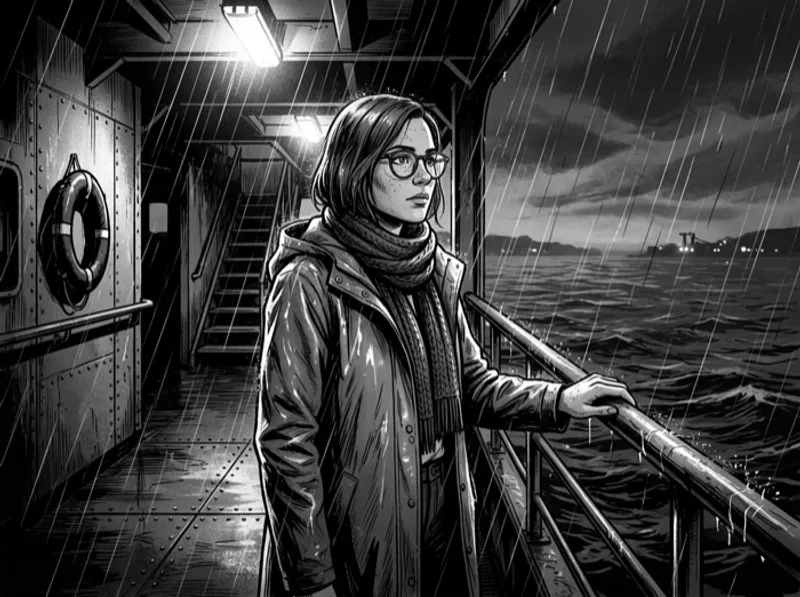
In October 2026 we tested this on one synthetic character, Mara: a woman in her early 30s with an auburn bob, round tortoiseshell glasses, freckles, a mustard raincoat and a red knit scarf. We drew one neutral sheet from that description, then four Manga panels and four Noir panels from the sheet. All eight kept her hair, glasses, freckles, scarf and raincoat, and each set came out fully in its own style, with none of the sheet's soft color carried into the black-and-white panels.
Comicory now does this for you: describe a character in words and it draws a neutral sheet into your Characters library for 1 credit, which you can @-mention in any comic, in any art style. Leave moods out of that description too: the sheet is drawn with a neutral face, so every panel can choose its own expression.
Using Your Own Photos as the Reference
When the character is a real person, such as you, a friend or a family member in a gift comic, the reference can come from photos instead of a description. One to three clear photos of the face, with no sunglasses and no heavy filters, give the model a likeness to work from, and the comic style is applied to every panel the same way. Comicory lets every account upload a character from photos; the upload rules page explains what you can and can't upload.