Comicory
Image to Manga Converter
Mangafy any picture.
Turn a photo, selfie or picture into manga — not a blurry anime-ish filter, but proper black-and-white manga art with screentones, speed lines and inked outlines. Then keep that face across a whole manga chapter.
- Same cast in every panel
How it works
What each step costs.
- 1
Write your story
A paragraph or a whole chapter. Pick a style and a length.
Free - 2
Review the script
The AI splits it into panels with dialogue. Change anything before a single image is drawn.
4 credits - 3
Render the comic
Each character, scene and panel is drawn once, then kept on-model.
1 credit each
Free vs paid
What changes when you pay.
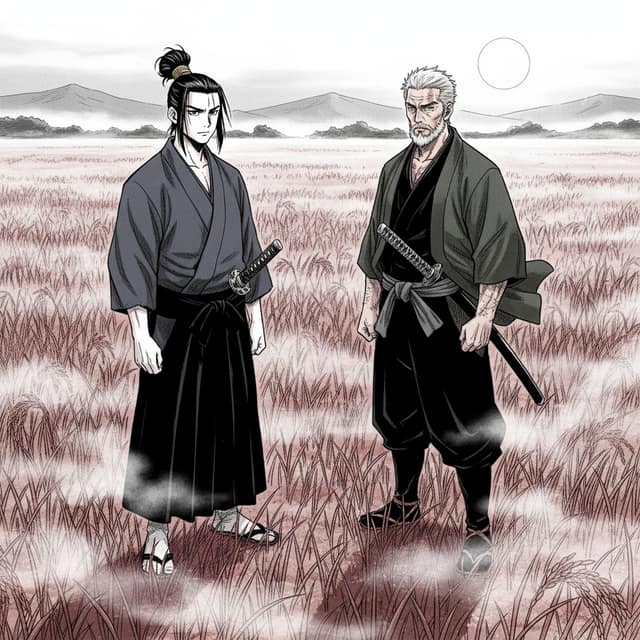 Made with Comicory · comicory.com
Free
- 10 credits, once, no card
- Downloads carry a small Comicory badge
- 10 of 24 art styles
- Upload 1 character, 1 location & 1 prop of your own
- 1 AI-generated reusable character (1 credit to draw)
Paid
- Clean downloads with any pack or plan
- 23 art styles with any subscription, all 24 on Pro and up
- More upload slots (subscriptions, and packs from $19.99)
Search for an image to manga converter and you mostly find one-tap filters that smooth your photo into generic anime.
Manga is a different art language: it lives in black ink, halftone screentones and expressive linework. Comicory converts your image into that language — and because it's a full manga generator underneath, the converted character can walk straight into a multi-panel story.
From Picture to Manga Panel
Upload the image you want to mangafy — a selfie, a portrait, a photo of a friend (with permission) or a pet.
The converter reads the face and builds a manga character reference from it, so the output is a drawn manga character that is recognizably you, not your photo with edges traced over it.
Face to Manga, Kept Consistent
The manga version of your face isn't a one-off. It becomes a reusable character reference, so panel 12 looks like the same person as panel 1.
Any Image Works
Selfies convert best, but group photos, pets and even old family pictures can be turned into manga characters and cast in a story.
Black-and-White or Toned
Classic screentone manga is the default. Prefer color? The same reference renders in soft anime, shonen or webtoon color styles instead.
AI Manga Filter vs a Full Manga Story
A manga filter stops at one stylized image. Comicory starts there: after your picture is converted, you write (or auto-generate) a short story and the AI lays out paneled manga pages starring your converted character — dialogue bubbles, backgrounds and all.
One upload, an entire manga chapter.
When a Filter Is Enough
Profile pictures and one-shot portraits — convert, download the panel, done.
When You Want More
Gifts, fan stories and webcomics need pages, not portraits. The story step turns your converted image into a full manga, and you can re-render any panel you don't like.
What Makes an Image Look Like Manga
Real manga style is more than big eyes. The converter applies the actual visual grammar of the medium: screentone dot shading instead of smooth gradients, confident brush-weight linework, speed lines for motion, and hatching for shadow.
That's why converted images read as manga pages rather than as photos with a cartoon skin — and why the result holds up when printed in black and white.
Questions
About this generator.
Upload 1–6 photos of the person or character, pick the manga style, and the AI builds a manga character reference from your image. From there you can download a single converted panel or write a short story and generate a full multi-panel manga starring that character.
Every new account gets 10 free credits — enough to draft a story script (4 credits) and render a 4-panel manga with 1 character and 1 location. More credits start at $4.99 for a one-time pack — no subscription needed. Uploading your own photo as the character reference works on every account, free included (one free character slot, two with the $4.99 First Comic Pack, more with a subscription or a credit pack from the $19.99 Creator Pack up); or let the manga generator draw the characters itself.
Anime conversion targets colorful cel-shaded animation style. Manga conversion targets the printed page: black-and-white ink, screentone shading, speed lines and panel-ready composition. Comicory does both — this page's converter defaults to manga, and the photo to anime converter covers the color anime look.
Yes. Any subject you have the right to use can be converted — pets become manga mascots, and each person in a group photo can be uploaded as a separate character so the whole group appears in one story.
It keeps your recognizable features — face shape, hairstyle, glasses, outfit details — drawn in manga proportions and linework. It's a drawn character based on you, not a filtered photograph, which is what makes it usable across a whole chapter.
That's the point of building the converter on top of a manga generator. After conversion, write a paragraph of story (or use a starter), and the AI scripts panels, places dialogue bubbles and renders pages with your converted character in every panel.
Keep exploring
You might also like.
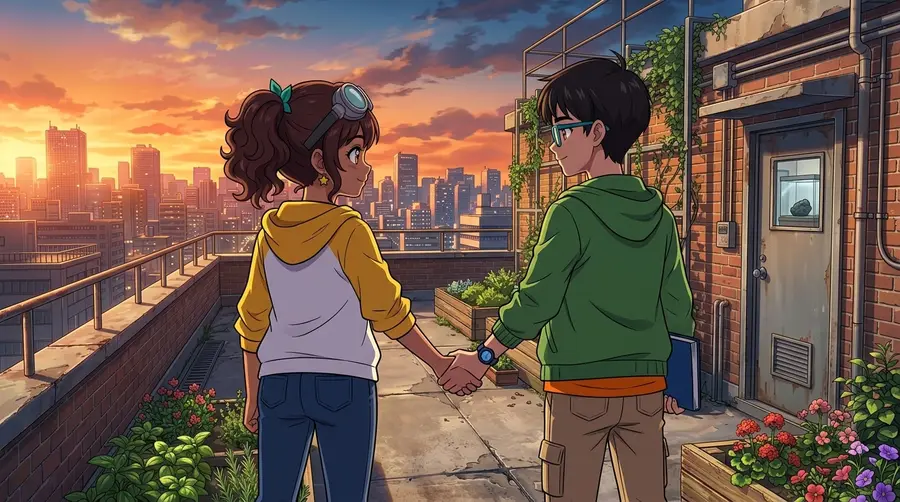
Ready when you are.
Start with a paragraph.
Finish with a comic.
Sign up free and get 10 one-time credits — the script plus a 4-panel comic with 1 character and 1 location. No card.