Choose the output before the tool
Start with the deliverable. A comic-style portrait and a readable comic page require different workflows. One needs a single image; the other needs a script, a recognizable cast, panel order, dialogue and a layout that makes sense. An attractive sample picture does not prove that a tool can finish a multi-panel story.
For a short joke, check strip layouts and editable speech bubbles. For a book, inspect complete pages and multi-page export. For a webtoon, look for vertical layout control and check the current requirements of the platform where you intend to publish. For a continuing series, test the second chapter as carefully as the first.
| Your goal | What to check | A useful trial |
|---|---|---|
| One comic-style image | Image control and export resolution | One scene or portrait |
| Four-panel strip | Panel order, lettering and layout | A complete setup and punchline |
| Multi-page comic | Cast continuity and page export | A short scene across several pages |
| Ongoing series | Reusable cast and chapter editing | A continuation using the same characters |
Decide how much you want to automate
A story-to-comic generator drafts scenes and draws panels from prose. It is useful if you have a story but want help turning it into a visual sequence. Check that you can approve the script before rendering; otherwise an unwanted plot decision may cost you image generations to undo.
A manual canvas or drawing tool gives you more direct control of the page, but you arrange the scenes and artwork yourself. A general image generator can be useful when you need a few illustrations and already have a lettering and layout workflow. Neither approach is automatically better: choose the amount of control you actually want.
Comicory's story-to-comic workflow is aimed at generating a paneled story from text, with a script review before images. It is not a replacement for a drawing canvas where you construct every line by hand. If your main need is precise manual illustration or an existing-image layout editor, evaluate a tool built for that task.
Test characters and editing on a small scene
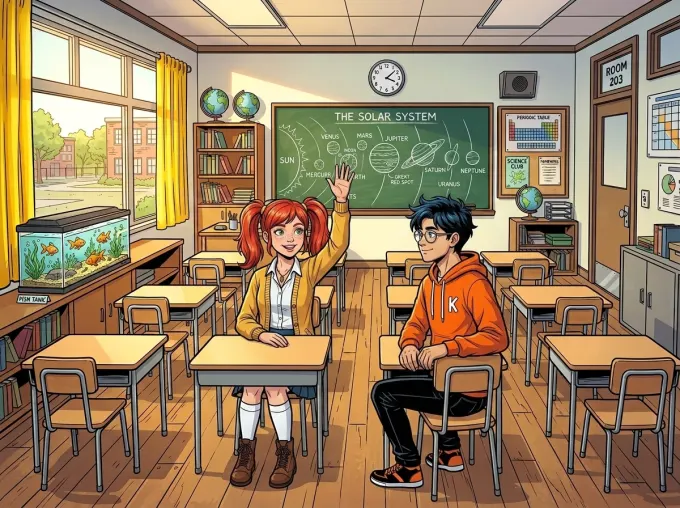
Use the same short scene when trying tools. Include a character in a wide shot and a close-up, plus a second person if group scenes matter to your project. Compare the face, clothes, who performs each action and whether the dialogue belongs to the right speaker.
Our character consistency guide shows an existing reference and panels from one Comicory render. Use that kind of comparison on your own trial. Marketing language such as 'consistent characters' is not enough: inspect the actual output and note how many attempts you need.
Then make one change. Can you rewrite a speech bubble without redrawing the art? Can you fix a panel without regenerating every page? Are local corrections supported, and what do they cost? Editing is part of finishing a comic, so evaluate the repair workflow before committing to a long story.
Calculate the cost of a finished comic
Credit counts are not comparable across products without knowing what each action costs. List script generation, character and location references, panel rendering, retries and any paid export or upload requirements. Include the subscription commitment and credit expiry when relevant.
For Comicory, the current starter grant is 10 one-time credits. The generation rates are 4 for the script, 1 per character reference, 1 per location, 1 per panel. Set the size to a 4-panel comic with 1 character and 1 location to fit the grant. Auto can plan more panels and leave the later ones locked until you add credits. Repairs need additional budget; the cost of the first successful render is not the cost of every attempt.
Free exports carry a watermark. Own-character uploads require a subscription or a credit pack from the $19.99 Creator Pack up; the entry-level First Comic pack does not include them. Check current Comicory pricing for purchase amounts and included features. On any tool, compare what you can finish and export, not just the headline allowance.
Check exports, permissions and privacy
Download a trial output and open it outside the editor. Check resolution, page order, speech-bubble readability and the format you need. A printable PDF, a long scrolling image and individual panel files serve different uses. Do not assume a web preview is the same quality as the exported file.
Read the terms for commercial use, watermark rules and rights to uploaded material. Comicory's terms permit commercial use on every plan, including Free; that does not promise exclusive output, copyright protection or acceptance by a publishing platform. You remain responsible for having the rights to your inputs.
If your story or reference images are private, inspect the publication controls and data policy before uploading. A tool's public gallery should not be treated as evidence that every private creation is shared. Check what happens to your own work rather than making assumptions from the homepage.
Use a checklist, then compare specific products
Write down your non-negotiable requirements and the result of a small trial: usable panels, corrections, total credits and export quality. If you need your OC, put upload access near the top. If you publish short strips, prioritize lettering and repeatable layouts. If you plan a series, verify that the cast carries into a continuation.
Comicory is a candidate when you want a story-to-comic workflow with reference-based characters, editable dialogue, individual panel repairs and page exports. It may be a poor fit when your central requirement is manual drawing, a layout-only workflow or zero review of AI output.
When you are ready to compare named products, see our AI comic generator comparison. It is also published by Comicory, so weigh that relationship alongside the evidence and verify current prices on each provider's own site. The best choice is the tool that finishes your specific comic within your time and budget.