Comicory
Pixel Art Comic Generator
8-bit. 16-bit. Retro.
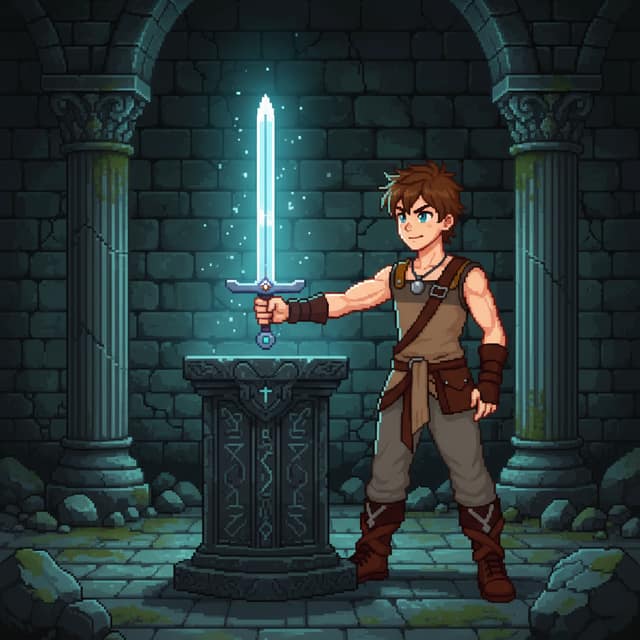
An AI pixel art comic generator that renders your story in chunky, game-inspired pixels — perfect for retro RPG arcs, indie dev diaries, and platformer strips.
- Same cast in every panel
How it works
What each step costs.
- 1
Write your story
A paragraph or a whole chapter. Pick a style and a length.
Free - 2
Review the script
The AI splits it into panels with dialogue. Change anything before a single image is drawn.
4 credits - 3
Render the comic
Each character, scene and panel is drawn once, then kept on-model.
1 credit each
Free vs paid
What changes when you pay.
 Made with Comicory · comicory.com
Free
- 10 credits, once, no card
- Downloads carry a small Comicory badge
- 10 of 24 art styles
- Upload 1 character, 1 location & 1 prop of your own
- 1 AI-generated reusable character (1 credit to draw)
Paid
- Clean downloads with any pack or plan
- 23 art styles with any subscription, all 24 on Pro and up
- More upload slots (subscriptions, and packs from $19.99)
A pixel art comic generator is AI tuned for the 8-bit and 16-bit look — limited palettes, dithering, chunky character sprites, tile-based backgrounds.
Comicory's pixel style is great for game-dev narratives, pixel-era fan comics, speedrun recaps, and any story that wants to feel like a cartridge boot-up.
The Pixel Art Look
Pixel art comics play with constraint. A small palette, a tight grid, and a lot of readability tricks. Faces get expressive through four-pixel eyebrows. Explosions get punch through a single orange flash. The limits are the style.
Retro RPG Arcs
Quest, town, dungeon, boss fight. Tell a multi-chapter RPG story with consistent sprite-style characters across every chapter.
Indie Game Dev Diaries
Document your game in the style of your game. Perfect for devlogs, patch-note comics, and launch-day recaps.
Platformer Strips
Side-scroller paneling, enemy cameos, speed-run gags. Short strips that feel like a playthrough.
Pixel Art vs. Cartoon vs. Manga
Cartoon is about line weight and flat color; manga is about ink and screentone; pixel art is about deliberate blockiness and retro palette. Pick pixel when the aesthetic itself is part of the joke or the worldbuilding.
Questions
About this generator.
The style lands between classic 16-bit and modern indie pixel art — chunky characters, limited palette, visible pixel grid, but with a bit more color depth than true 8-bit. Perfect for game-dev diaries and RPG-style strips.
Yes. Character references are generated at higher resolution and downsampled per panel, so your hero's sprite stays recognizable across the whole series. Continue Story (Create next chapter) preserves the exact sprite across chapters.
It can be — see Celeste or Undertale for pixel-art narratives that land hard emotionally. The limited palette forces restraint, which can actually strengthen dramatic scenes. For photoreal weight, use the realistic style instead.
Both. Panels export at high resolution with pixels deliberately preserved, so full-screen reads as crisp oversized pixels rather than blurred-up low-res art. Common practice: post at 2× or 3× native pixel size.
Keep exploring
You might also like.
Ready when you are.
Start with a paragraph.
Finish with a comic.
Sign up free and get 10 one-time credits — the script plus a 4-panel comic with 1 character and 1 location. No card.