Cookie choices

Necessary cookies support login, payments, and security.

Optional analytics help us improve Comicory.

Current analytics:not set · Cookie Policy

新機能

26件最終更新:

新機能・画風の追加・不具合の修正を、新しい順に掲載しています(各項目は英語で書いています)。

2026年9月

  1. 改善

    Comicory in Spanish, Portuguese and Japanese

    The homepage and pricing now come in Spanish, Brazilian Portuguese and Japanese, written for each language rather than translated line by line.

    Switch language from the header, your account menu or the footer. Pages that aren't translated yet send you to that language's homepage.

    Prices are still charged in US dollars, but they're shown the way your region writes them.

    The editor itself is still in English for now. Your comic follows the language you write your story in, so a Spanish story becomes a Spanish comic.
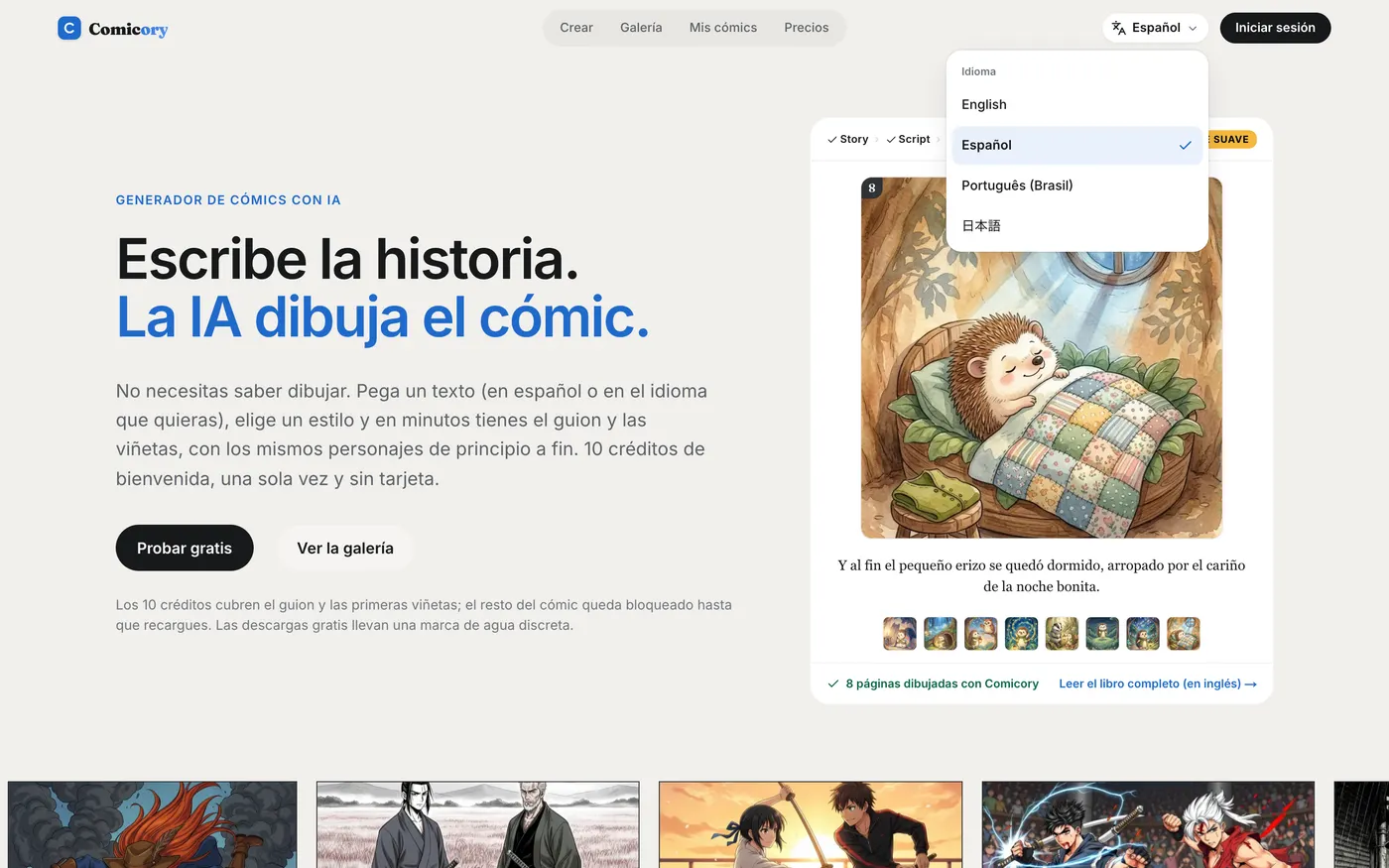
    The Comicory homepage in Spanish with the language menu open
  2. 改善

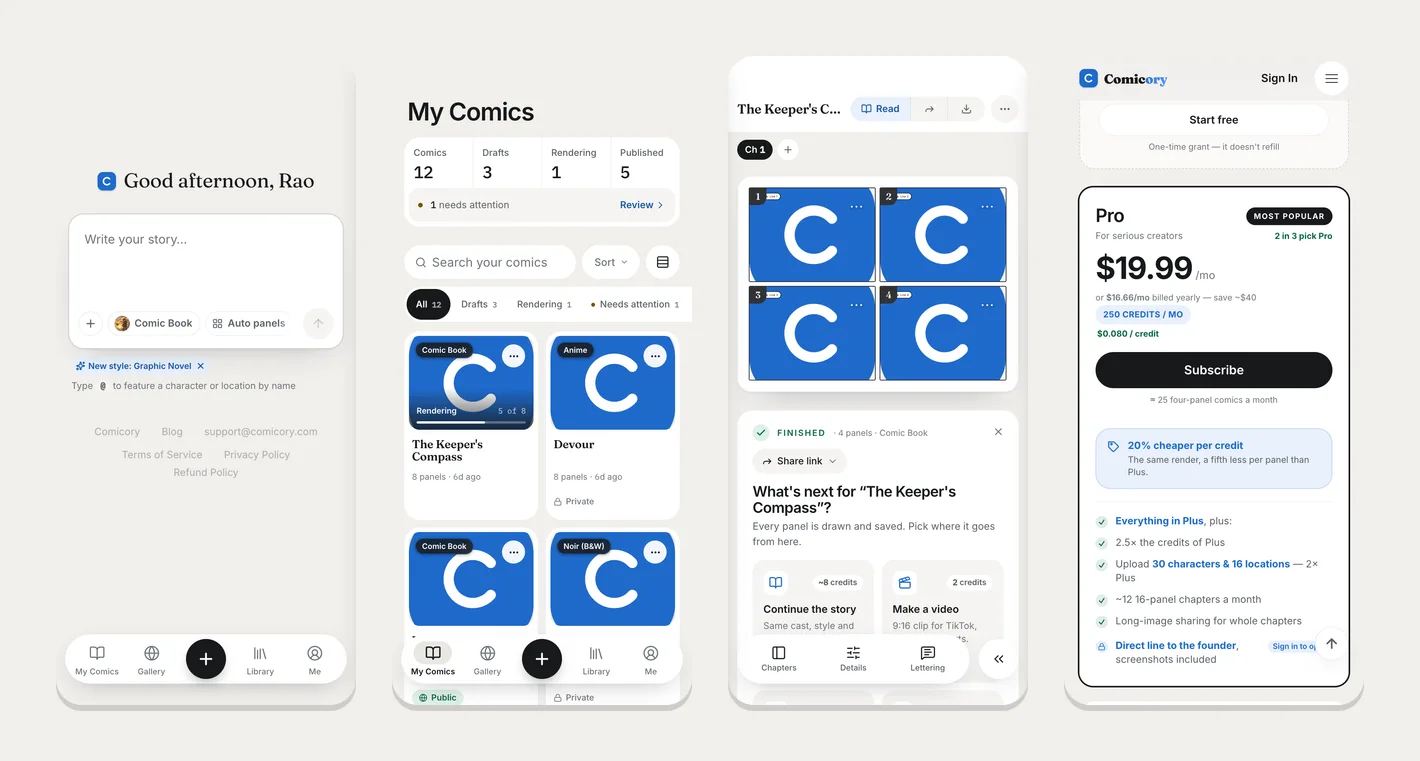
    Comicory on your phone now feels like an app

    The whole site has been rebuilt for phones: a tab bar at the bottom takes you to My Comics, the Gallery, your Library and your account in one tap, menus slide up from the bottom, and every button is sized for a thumb.

    Add Comicory to your home screen (Share → Add to Home Screen on iPhone, Install app on Android) and it opens full screen, without the browser bars.

    While you write or read a comic, the tab bar folds into a small button in the corner — tap it to jump anywhere. On a finished comic, Chapters, Details and Lettering sit in a bar at the bottom, and each panel's ⋯ opens one sheet to edit its dialogue, redraw it, fix an area or restore a version.

    Your library, the Gallery and creator pages show two comics per row, the reader turns pages with a swipe, and pricing and checkout fit the screen. Nothing changes on a computer.

    Four phone screens: the story editor with the bottom tab bar, My Comics in two columns, a finished comic with its tool bar, and the pricing page
  3. 新機能

    Dialogue types: turn off speech, thoughts, captions or SFX

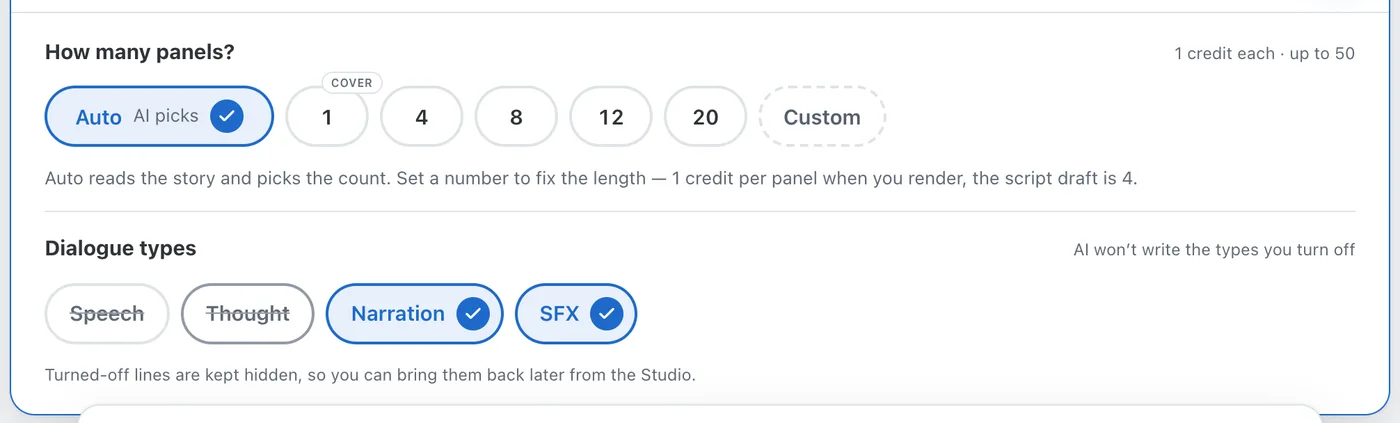
    Want a comic told in captions only, or with no captions at all? Pick which kinds of text your comic carries — Speech, Thought, Narration, SFX — and the script is written that way. Anything turned off is hidden, never deleted, so you can bring it back at any time.

    Set it once when you start: the Dialogue types row sits under the panel count in the story editor. Every new chapter inherits the setting, and the Create next chapter drawer lets you change it for that chapter only.

    Change your mind on a finished comic from the Rules tab in the Studio: the Dialogue types card applies to every chapter at once. Turn a type off and its lines disappear from the panels and from every download — images, PDF, PPTX and video. Turn it back on and the same lines return exactly as they were, with an Undo in case you slip.

    Single lines work the same way. In a panel's dialogue editor, the new eye button hides one line without deleting it; hidden lines stay listed with a Show button. Delete still removes a line for good.

    The story editor's panel settings with a new Dialogue types row: Speech and Thought turned off and struck through, Narration and SFX on with check marks
  4. 新機能

    Character looks: one character, several ages, outfits or forms

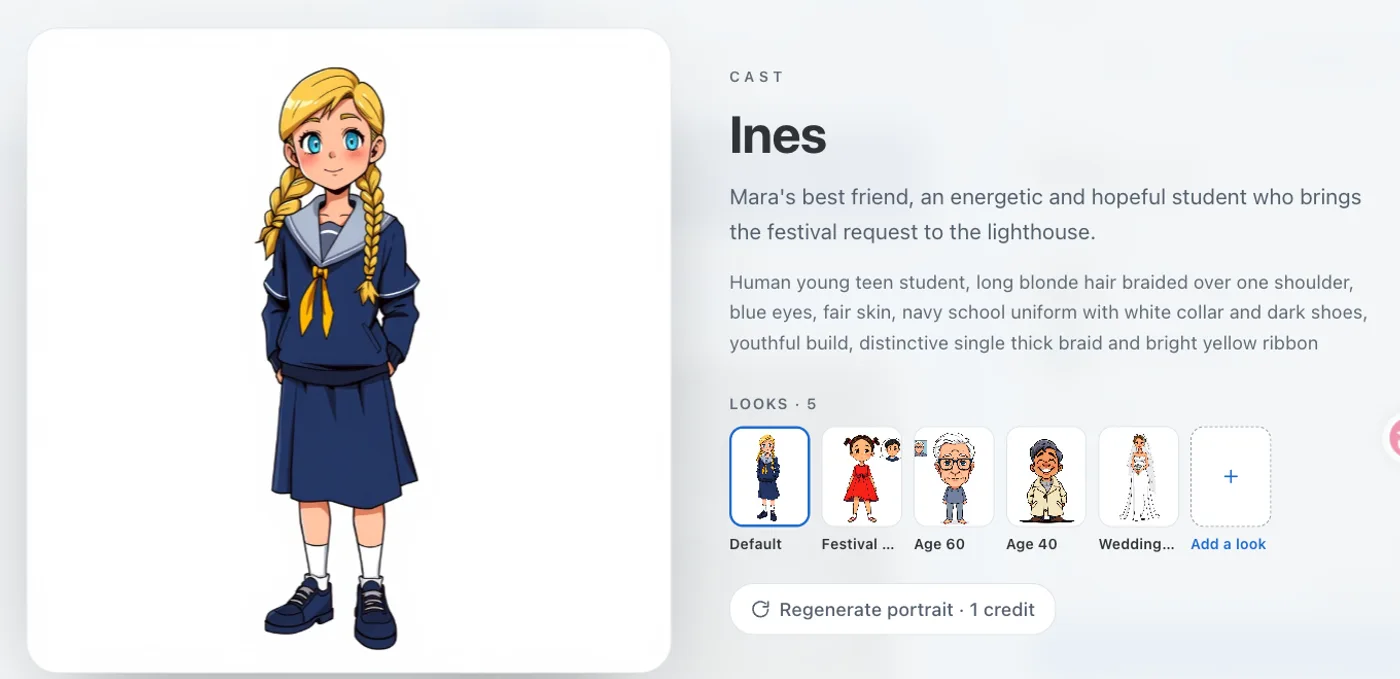
    A character can now carry more than one look — the same person at 13 and at 60, in everyday clothes and in storm gear, in civilian life and in hero form. The script picks the right look for each panel, and any panel can switch.

    Looks come from your story: when a chapter shows a character at another age or in a different outfit, the script proposes the look and you draw it once from their portrait or photos (1 credit). Looks you already have are used for free, chapter after chapter — no more second “fake” character for every age.

    Everything is yours to override: each panel shows which look it uses and you can pick another, set a default look for the chapter, dismiss a proposal, or start the next chapter in a chosen look from Continue Story. A finished panel can be repainted with a different look for 1 credit.

    Characters drawn by the AI get looks from their portrait (open the character in your comic and pick Add a look). Characters from your photos get them in your Character Library: upload photos of the other look, or have it drawn from your existing photos. Each look takes one library slot.

    A character card in the comic studio showing five looks of the same girl: her default school uniform, a festival dress, herself at 60 and at 40, and a wedding dress, plus an Add a look button
  5. 画風

    New art style: Graphic Novel — and the script now reads your style brief

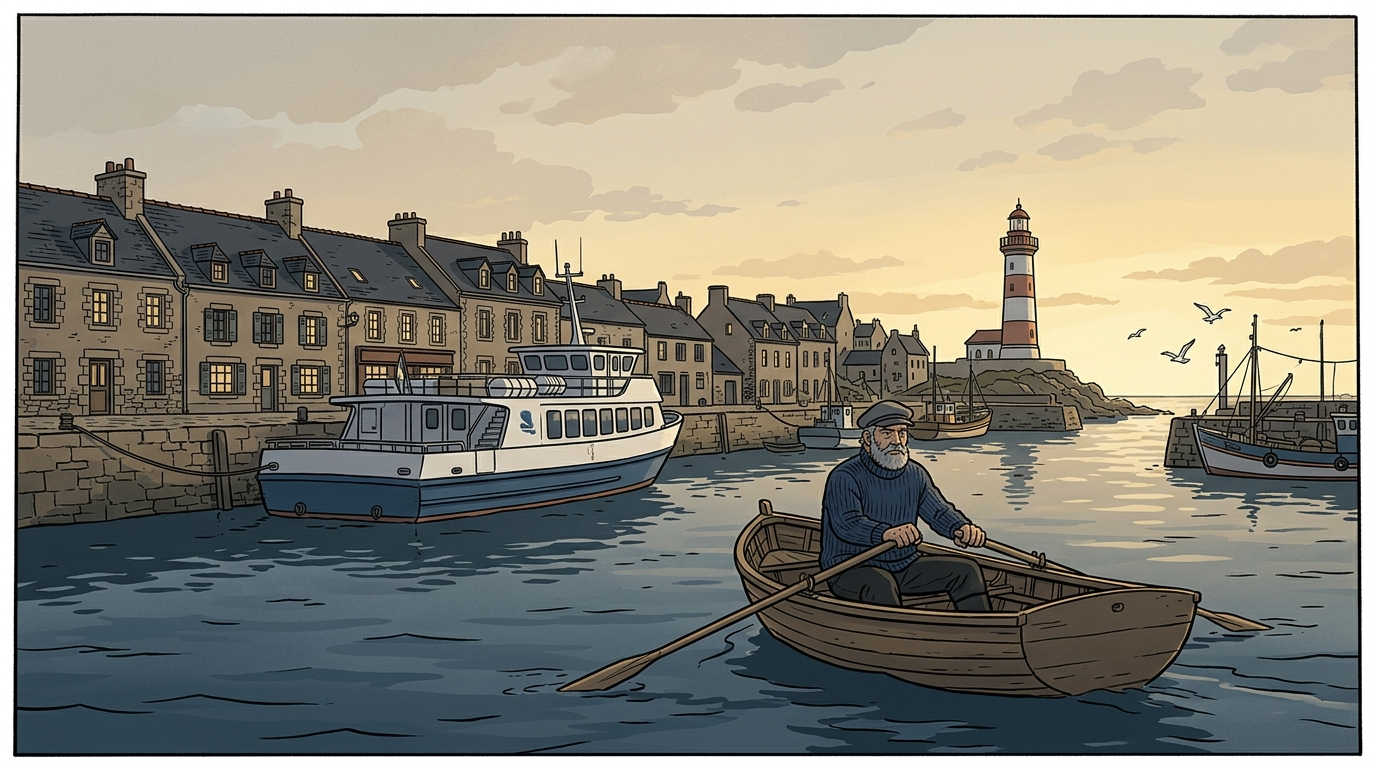
    The European bande dessinée look: an even ligne-claire ink line, flat matte color, semi-realistic adult faces and places you could walk into. Built for literary, travel and magazine stories that would look wrong as superhero action or manga.

    If your story text already asks for a look — “semi-realistic”, “European graphic novel”, “no exaggerated cartoon” — the script preview now points it out and offers to switch to the closest style in one click, free. The art style always comes from the picker, never from the prose.

    Convert Style now redraws each scene’s establishing shot in the new style too (1 credit per scene), so a converted comic no longer carries the old look in its backgrounds. Your own location photos still carry over free.

    Graphic Novel is a paid style: any subscription unlocks it.

    Graphic Novel style sample: a bearded lighthouse keeper in a navy sweater rows a wooden boat across a Breton harbour at dawn, granite houses and a lighthouse behind him
  6. 改善

    Upload iPhone photos as they are — HEIC now works

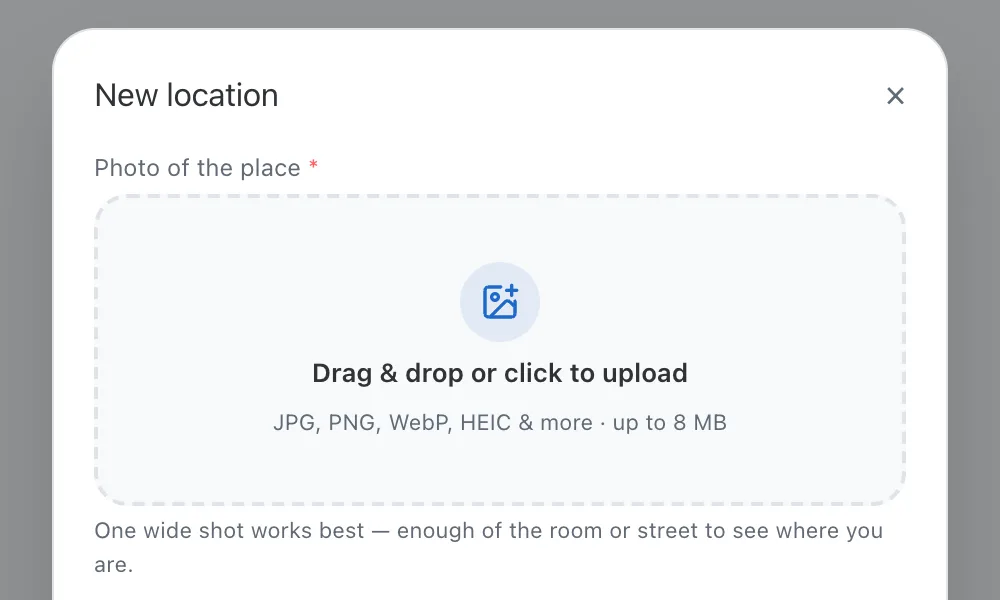
    Character and location photos no longer have to be JPG or PNG. HEIC straight off an iPhone, AVIF, TIFF, GIF and BMP are all accepted now and converted in your browser before upload, so nothing leaves your device in a format we can't use.

    This applies everywhere you add a photo: new characters and locations, the template photo slot, custom style samples, cast edits inside a comic, and screenshots you attach when messaging the founder.

    Converted photos are kept at up to 4096 px on the long side and under the usual 8 MB limit. JPG, PNG and WebP are still uploaded untouched.

    The New location dialog's photo drop zone with the hint JPG, PNG, WebP, HEIC & more · up to 8 MB
  7. 新機能

    Sound effects: a fourth bubble kind you can tilt and scale

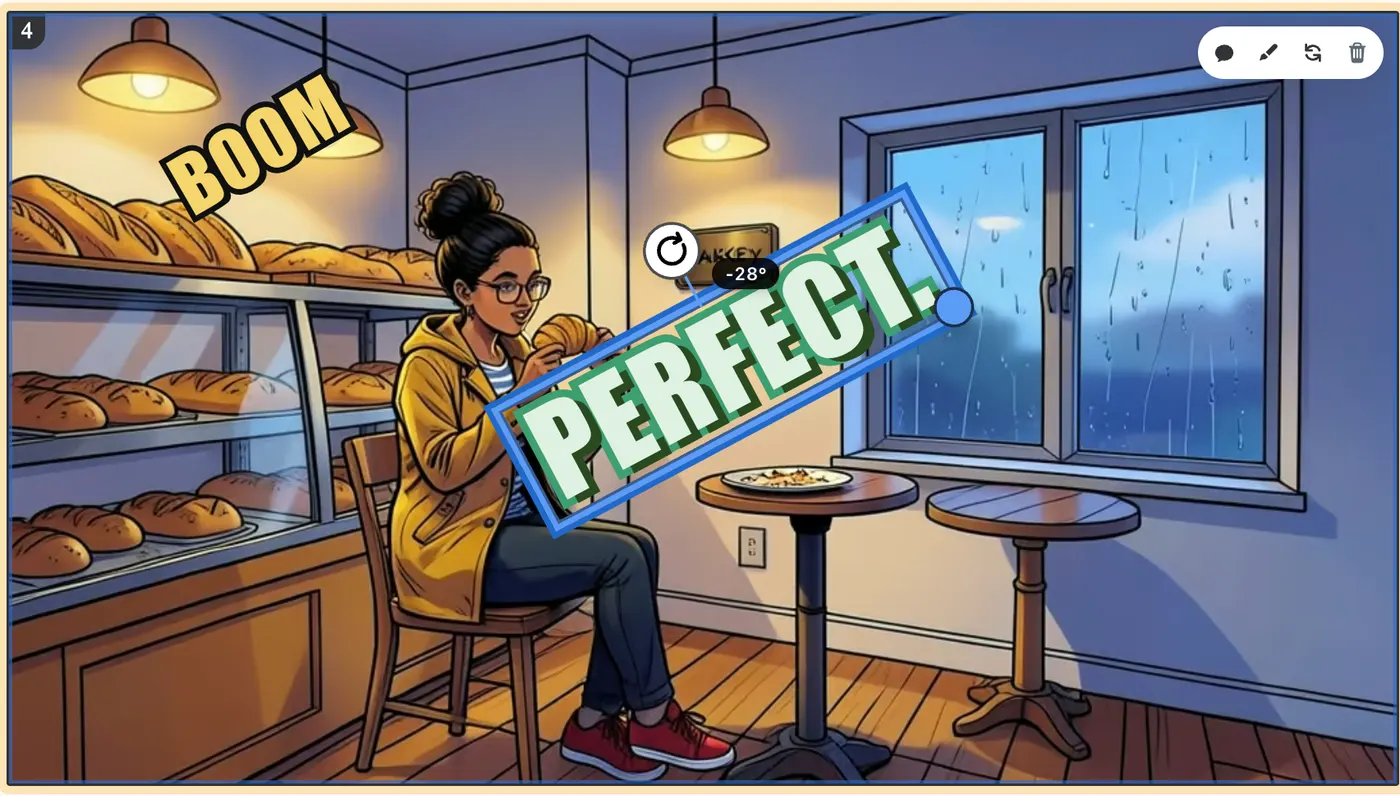
    BOOM, CRASH, GASP — sound effects now have their own bubble type. No box, no speaker: one word in big outlined display lettering, drawn in whatever bubble theme the panel uses. Drag it next to the action, rotate it with the handle above the word, scale it from the corner.

    Open Dialogue on any panel, add a bubble or pick an existing one, and switch it to SFX. The word is capped at 20 characters and always set in capitals.

    Rotate runs from −30° to 30° (hold Shift to snap to 15° steps); Size from 0.5× to 2×. The sliders in the drawer and the handles on the panel move the same values, and every export — pages, long image, PDF, CBZ, PPTX, video — bakes the exact tilt and size you see.

    Every one of the twelve bubble themes has its own sound-effect look: Classic's yellow-on-black, Manga's white ink, Noir's gold, Neon's glow, Pop's red offset. Pick it from Bubble style like any other bubble.

    Scripts pick this up too: when your story marks a sound effect (SFX, EFFET BD, 💥 BAM!), the script keeps it as an SFX bubble instead of folding it into a caption.

    A comic panel with two sound-effect words, BOOM in yellow and PERFECT. in mint green, the second one selected with a rotate handle and a −28° readout
  8. 画風

    Bubble themes redrawn, and you can mix them per bubble kind

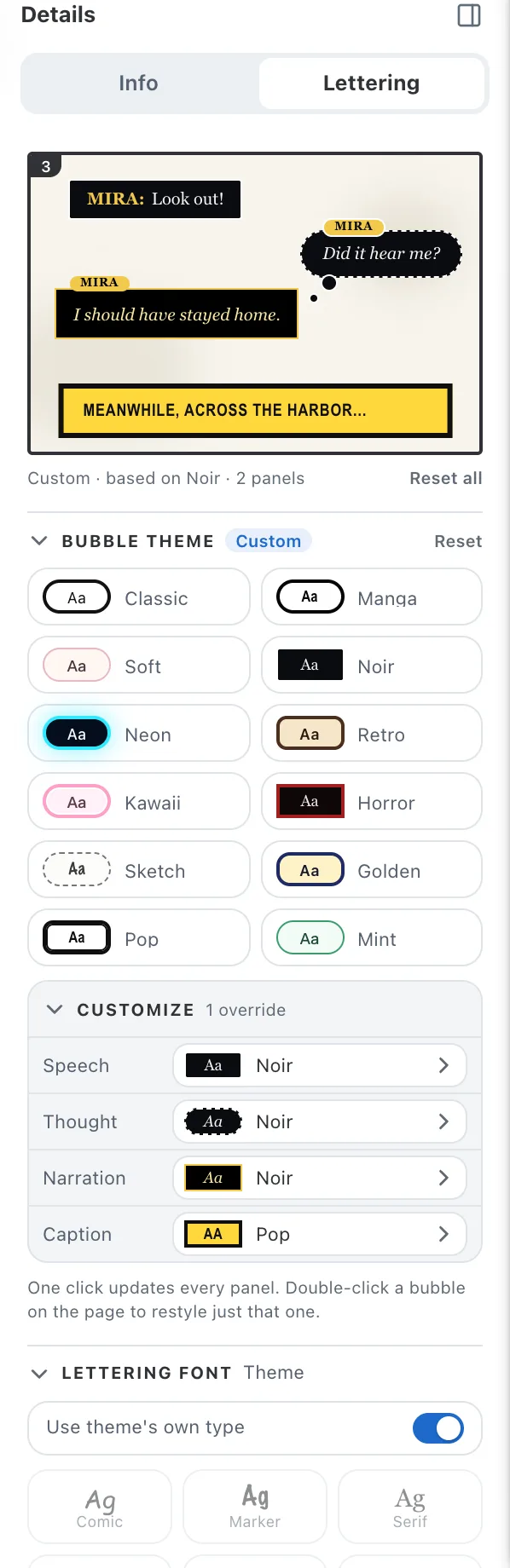
    All twelve bubble themes have been redrawn the way printed comics letter: flat, opaque, no drop shadows, with the narrator's caption designed as its own material instead of a recolored speech box. Noir gets a double gold rule, Manga inverts its captions, Pop draws a second black line, Neon keeps its glow. The Lettering tab now opens on a live preview of every bubble kind so you see the whole set before you click.

    Customize lets you pick a different theme for each kind of bubble — speech, thought, character narration and narrator caption — so a Classic comic can carry Noir voice-overs and Pop captions. One click on any preset puts all four back in step.

    Fonts and panel-number badges live in the same tab: a switch keeps each theme's own type or opens the font grid, and the badge has a show/hide switch, a color row and a shape control.

    Exports match the screen: dashed and double outlines, inner strokes and uppercase captions are drawn the same way in PNG, PDF, CBZ and long-image downloads.

    The Lettering tab: a live preview panel with a speech bubble, a thought bubble, a character narration box and a narrator caption, above a grid of twelve theme chips and a Customize list showing Noir for speech, thought and narration and Pop for the caption
  9. 新機能

    Locations: the same setting in every panel

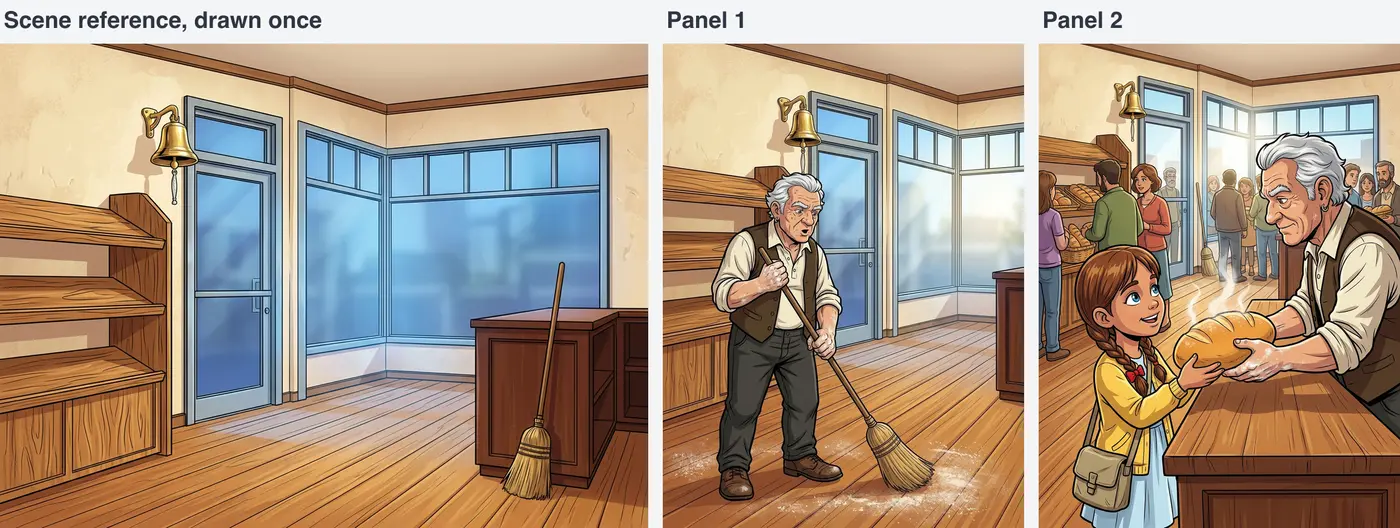
    Comicory now keeps your settings consistent, not just your cast. Every recurring place in a story — a bakery, a classroom, a street corner — gets one scene reference drawn once, and every panel set there is built from it, so the door, the windows and the light stop changing from panel to panel.

    Priced like a character reference: 1 credit per scene the AI draws, only when it has to draw one. A place that appears in a single panel gets no reference and costs nothing.

    Upload a photo of a real place from Locations and it becomes the scene reference for free — no credit, and your own room, shop or school appears in the comic. Uploads are included with any subscription or with the Creator pack and up.

    Scenes carry over into Continue Story chapters at no extra cost, and the script preview lists scene references next to character references before you render.

    Three images side by side: the empty bakery scene reference, then panel 1 with the baker sweeping the same floor, then panel 2 with the same shop full of customers
  10. 画風

    New art style: Scribble

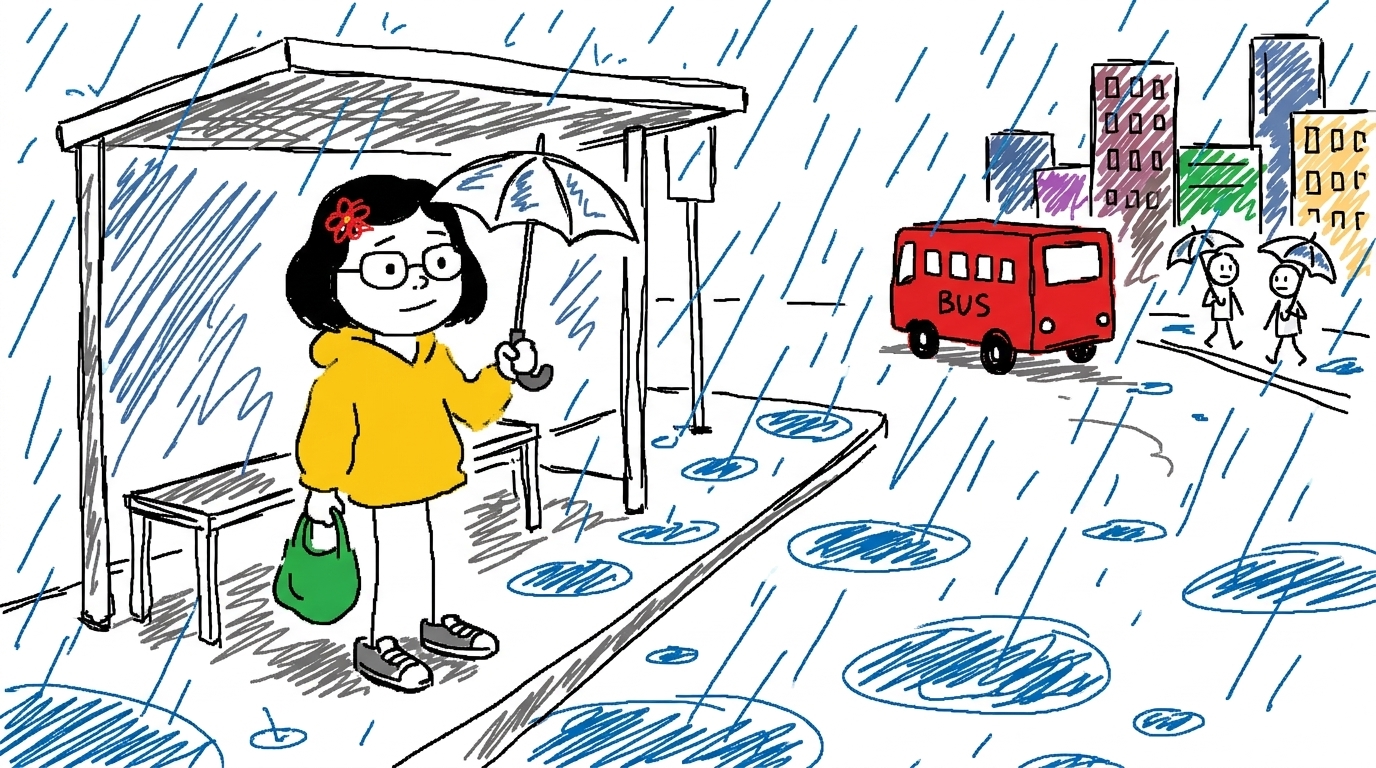
    The “draw this as badly as you can in MS Paint” look — wobbly mouse lines, marker scribbles that overshoot, mitten hands, dot eyes, and a plain white page. Your cast still stays recognisable from panel to panel.

    Free on every plan. Upload a photo of yourself or a friend as a character and the contrast between the photo and the doodle is the whole joke.

    Signs and captions come out in crooked hand-lettering on purpose.

    Scribble style sample: a young woman with a bob and round glasses waits at a bus stop in the rain, a red bus and two stick-figure pedestrians behind her, all in wobbly marker scribbles
  11. 新機能Pro以上

    Pro and up: a direct line to the founder

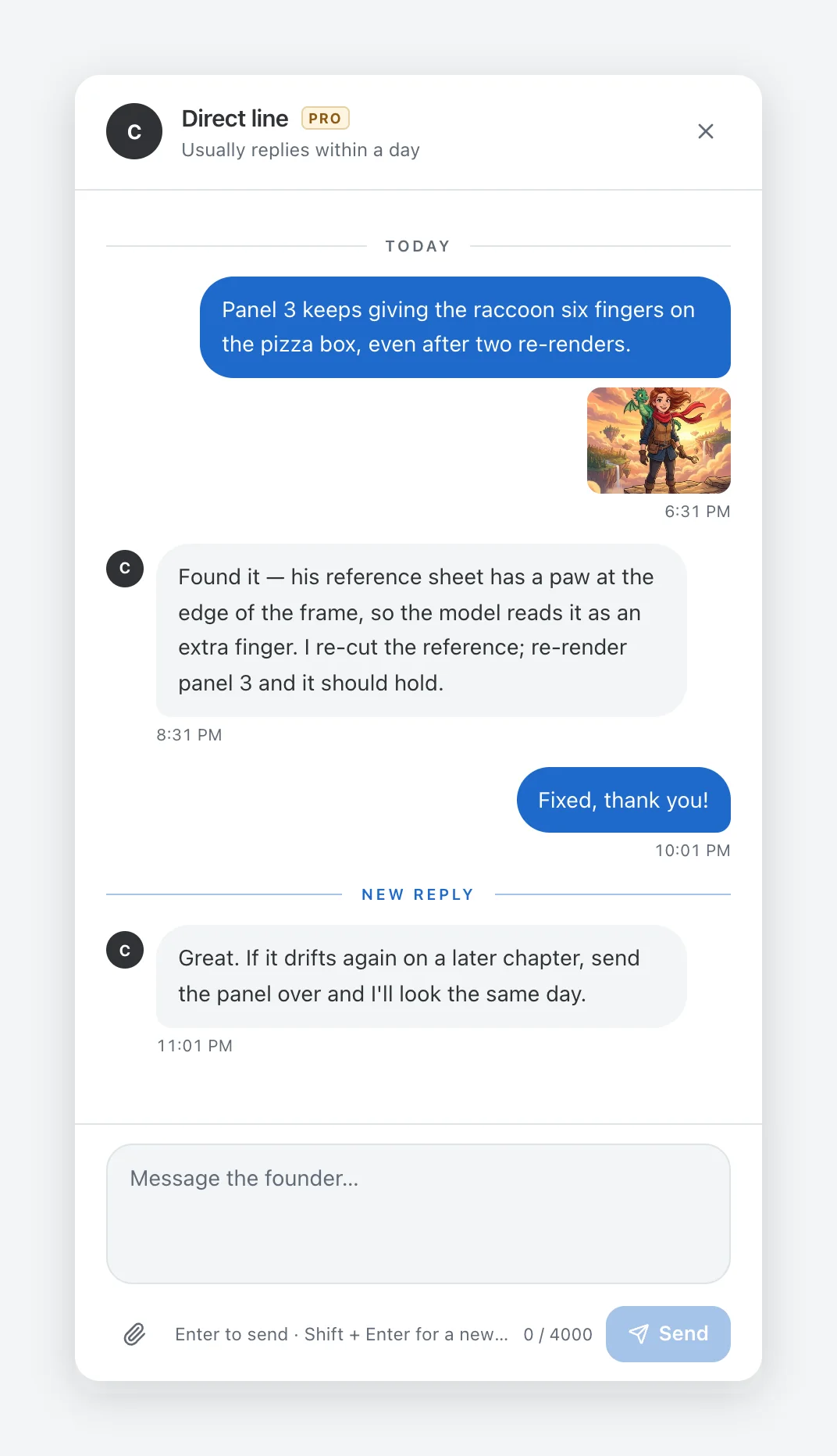
    Message the person who builds Comicory from inside the app — screenshots, PDFs and logs attached — and get the reply back in the same window and by email. No ticket numbers, no bots.

    Open it from the Pro, Max or Ultra card on the pricing page, or from “Message the founder” in your account menu. Replies show up as a badge on your avatar.

    Up to 5 attachments per message: images up to 5 MB, PDF, text, zip or short video up to 25 MB. Email support stays available on every plan.

    The Direct line panel: a subscriber reports a rendering glitch with a screenshot, and the founder replies in the same conversation
  12. 画風

    New art style: Ink Wash

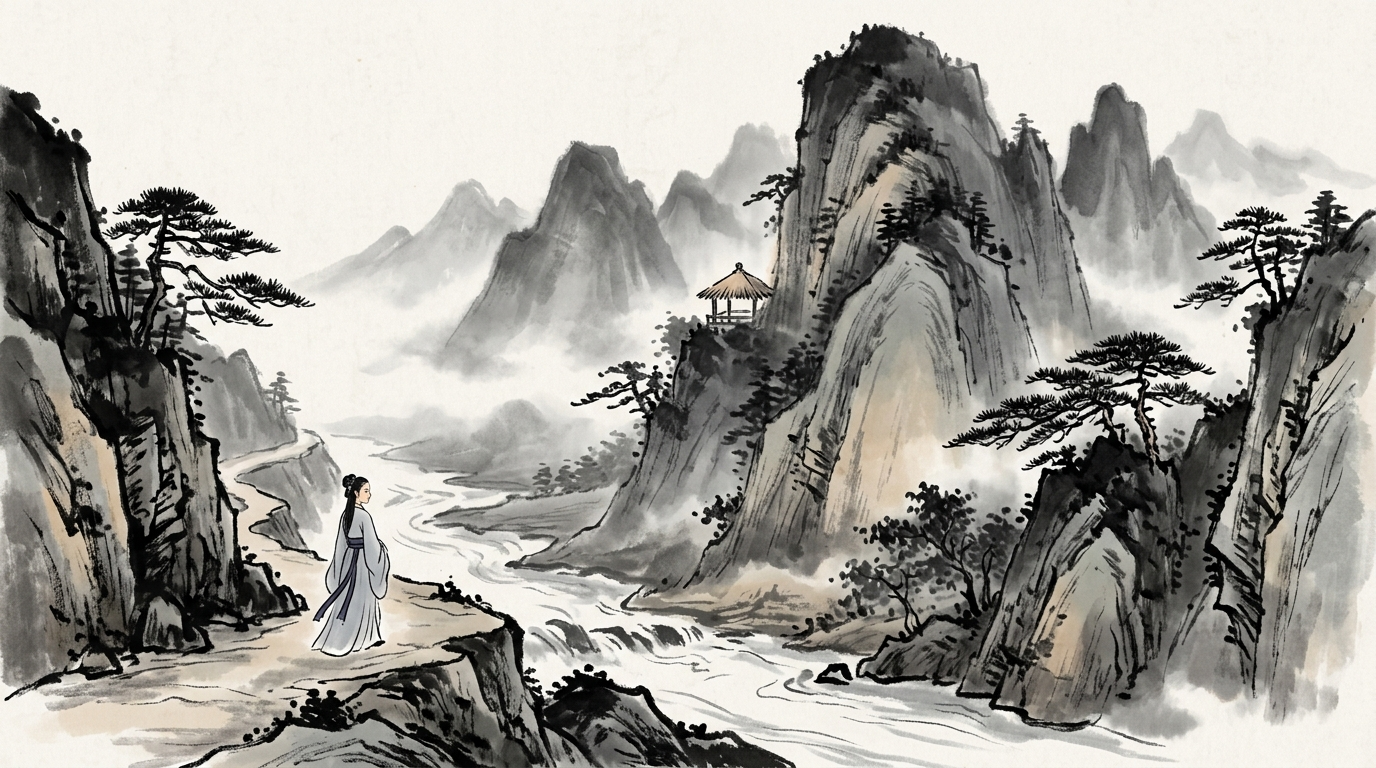
    Chinese shanshui painting — calligraphic brush strokes, misty mountains and rivers, a faint ochre and indigo tint, and rice-paper space left unpainted. Made for wuxia, folk tales and quiet journeys.

    Characters keep their light garment colors so a cast stays easy to tell apart in monochrome ink.

    Ink Wash is a paid style: any subscription unlocks it.

    Ink Wash style sample: a young woman in a grey robe walks a mountain path above a river, mist-covered peaks behind her
  13. 書き出し

    Export a comic as a PowerPoint deck

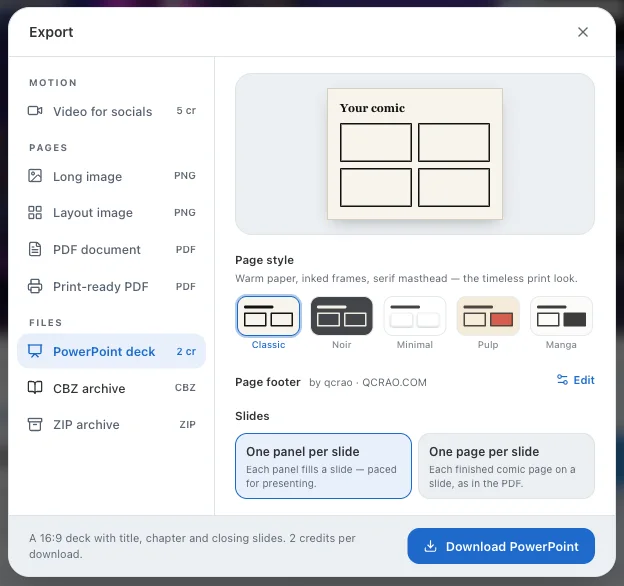
    Download any finished comic as a .pptx — one native slide per page or per panel, speech bubbles baked into the art, dialogue repeated in the speaker notes, and chapter divider slides for multi-chapter stories.

    Built for training material and classroom decks: every slide is a real slide you can reorder or annotate, not a pasted screenshot. 2 credits per download.

    The Export dialog with PowerPoint deck selected: page style, footer, and a choice between one panel per slide and one page per slide
  14. 新機能Plus以上

    Your own name and logo on every export

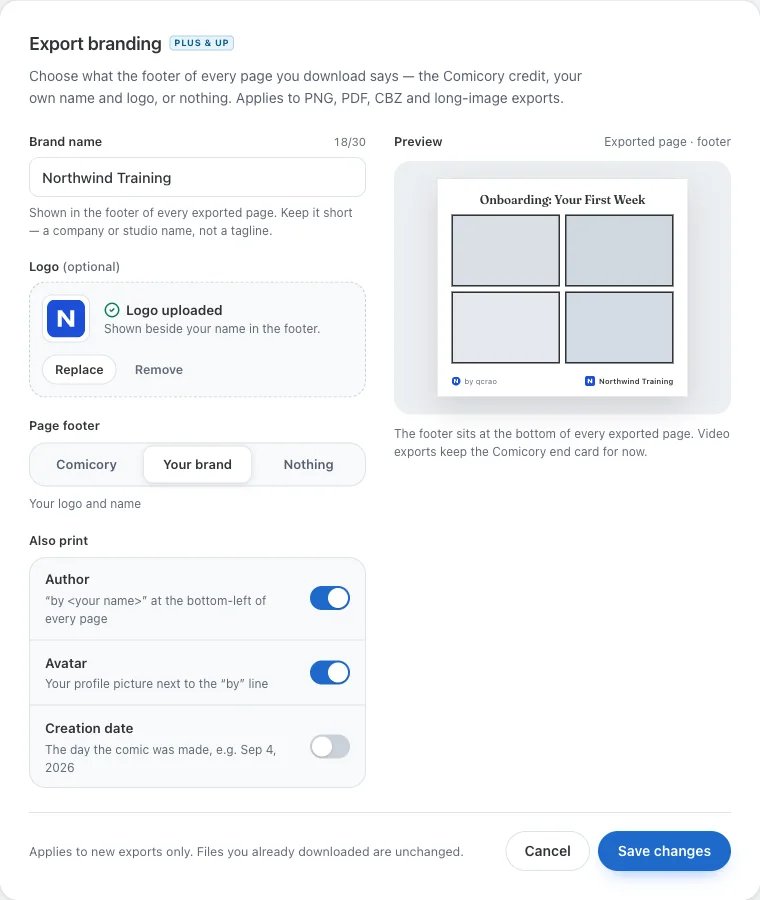
    Subscribers can set a brand name and logo under Settings and choose what the page footer prints: the Comicory credit line, your brand, or nothing at all. Author, avatar and creation date each have their own toggle.

    Export branding settings: brand name, logo upload, page footer choice (Comicory / Your brand / Nothing) and toggles for author, avatar and creation date, with a live footer preview
  15. 改善

    A new story composer

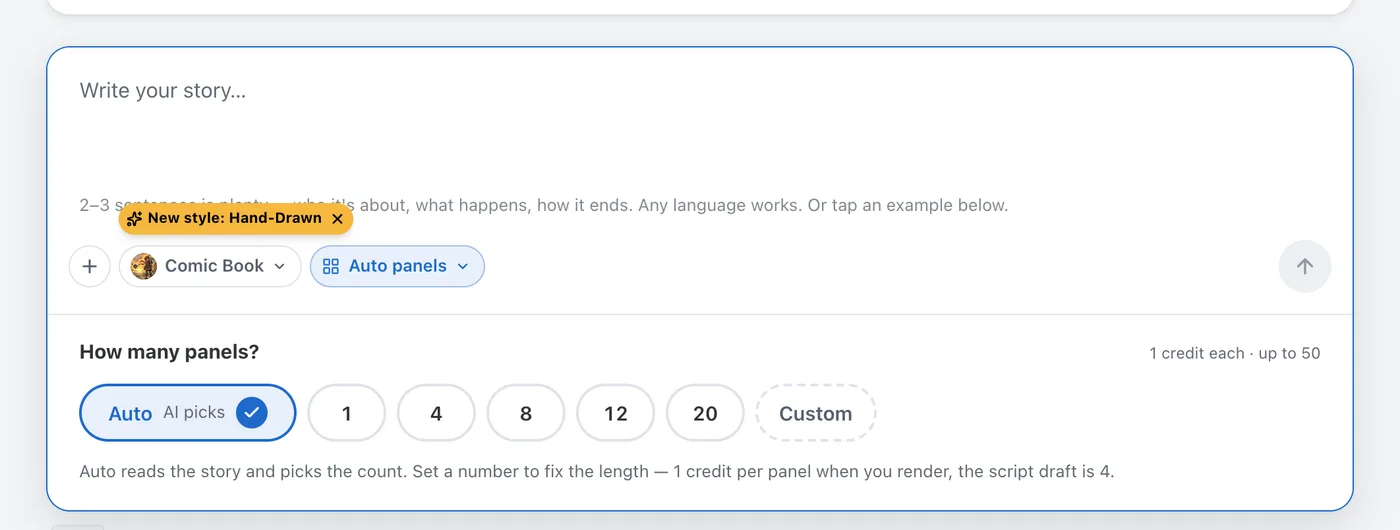
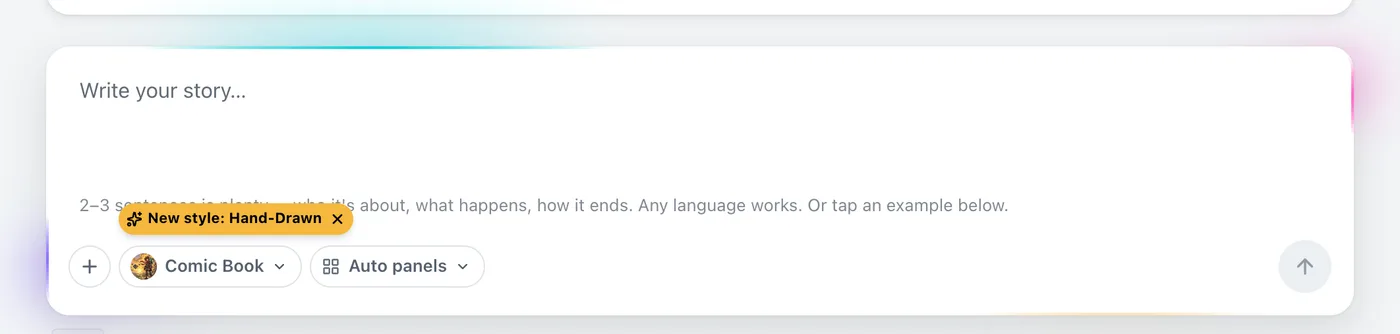
    Writing a story now feels like a chat: the art style and panel count sit inline with the text, @-mentions pull in your characters and locations, and example stories load in the language you are reading in.

    The new story composer on the create page, with style and panel-count pickers inline under the text box
  16. 書き出し

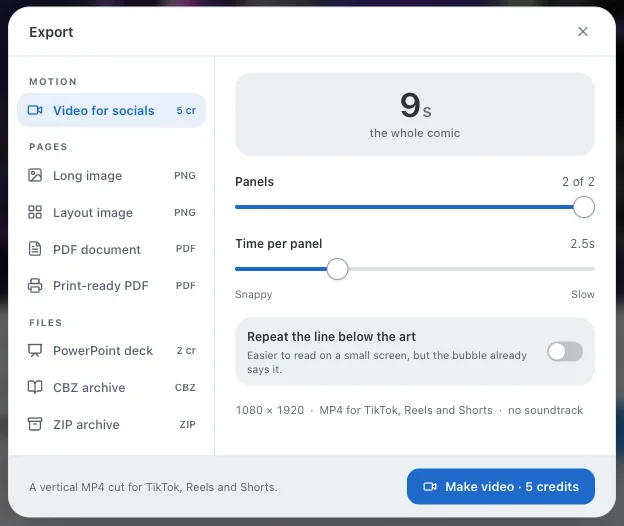
    Export a vertical video for TikTok, Reels and Shorts

    Turn a finished comic into a 9:16 MP4 with one tap. Each panel holds for a beat you control, the title card opens the story, and chapters get their own cards. Rendering runs on our servers, so it works on phones too.

    2 credits per export (5 at launch, cut on 2026-09-19). A failed render is refunded automatically.

    The Export dialog with Video for socials selected: total duration, panel range slider, time-per-panel slider and a toggle to repeat dialogue below the art
  17. 新機能

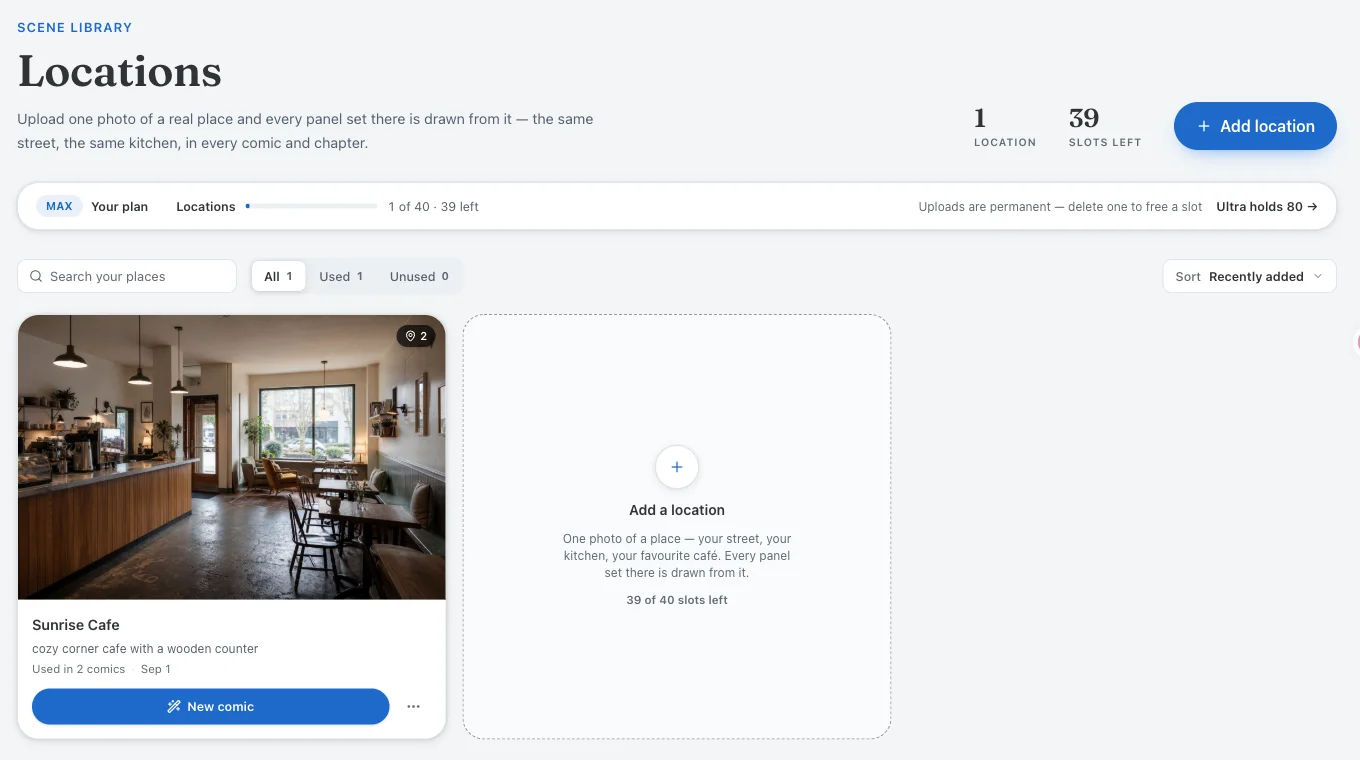
    Upload a photo of a real place

    Add your own locations the same way you add characters. A photo of a room, a street or a storefront becomes the establishing shot the AI keeps consistent across every panel set there. Mention it with @ in your story.

    The Locations library page with one uploaded café photo and an Add a location card

2026年8月

  1. 画風Max・Ultra

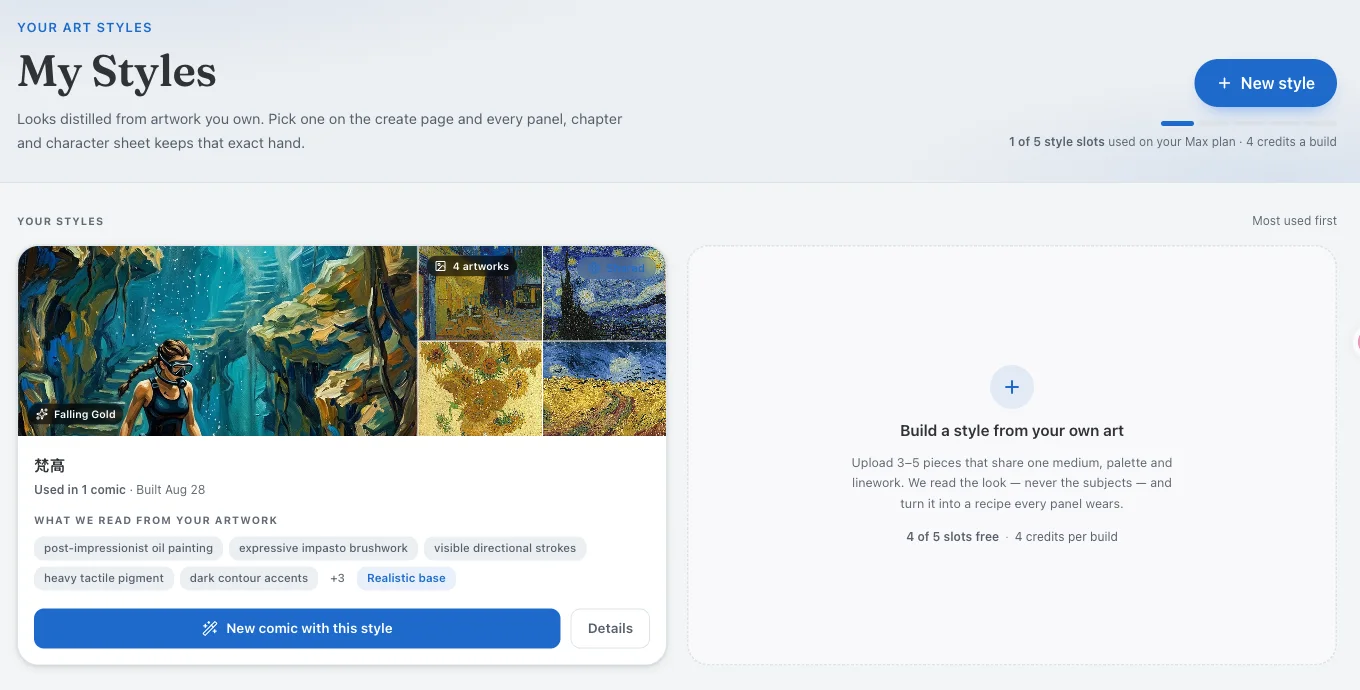
    Custom art styles can be shared

    Max and Ultra members can teach Comicory a style from three to five sample artworks, then publish a comic in it. Any creator who sees that comic in the gallery can use the same style on their own story.

    The My Styles page with one custom style built from four post-impressionist paintings, showing the traits the AI read from the artwork
  2. 改善

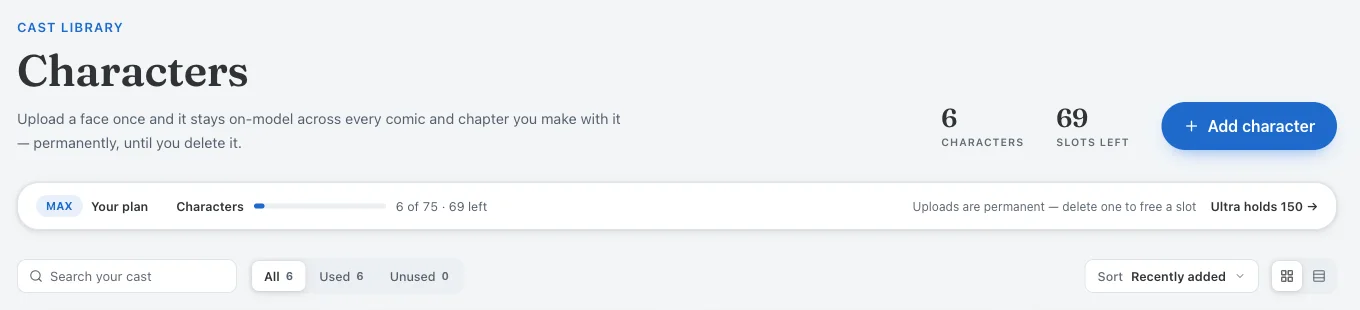
    Uploaded characters are kept for good

    Uploaded characters used to expire after 24 hours unless you saved them. Every upload now lives in your library permanently, and the number of characters each plan can hold went up across the board.

    The Characters library header: 6 characters, 69 slots left, and the note that uploads are permanent
  3. 書き出し

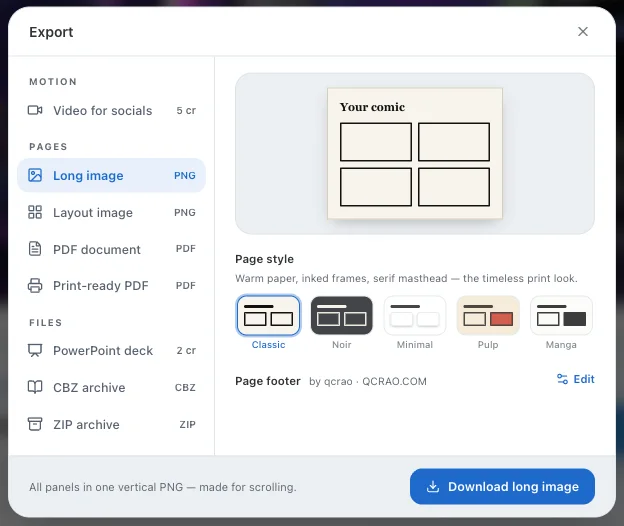
    Five page styles for every download

    Choose how the page around your panels looks — classic borders, clean gutters, dark, and more — and the choice carries across PNG, long image, PDF and CBZ.

    The Export dialog showing the five page styles: Classic, Noir, Minimal, Pulp and Manga, with a preview of the Classic look
  4. 改善

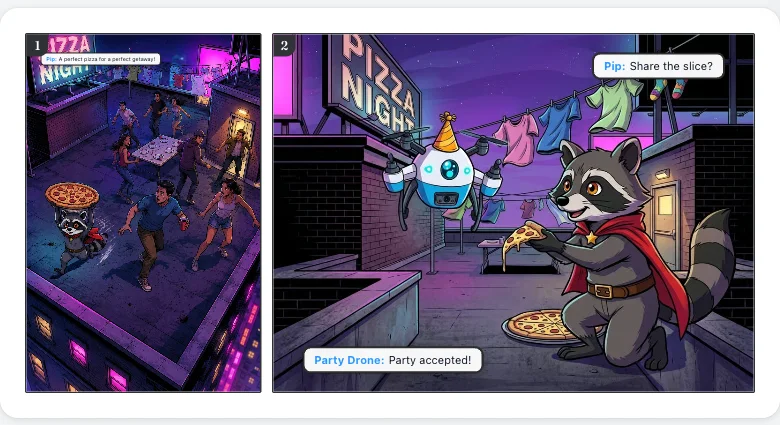
    Speech bubbles stay off faces

    Bubbles are now placed by a face detector: they avoid the characters' heads, avoid each other, and follow a proper reading order. Drag one and it stays where you put it.

    A two-panel comic page where the speech bubbles sit in the corners, away from the raccoon character's face
  5. 新機能

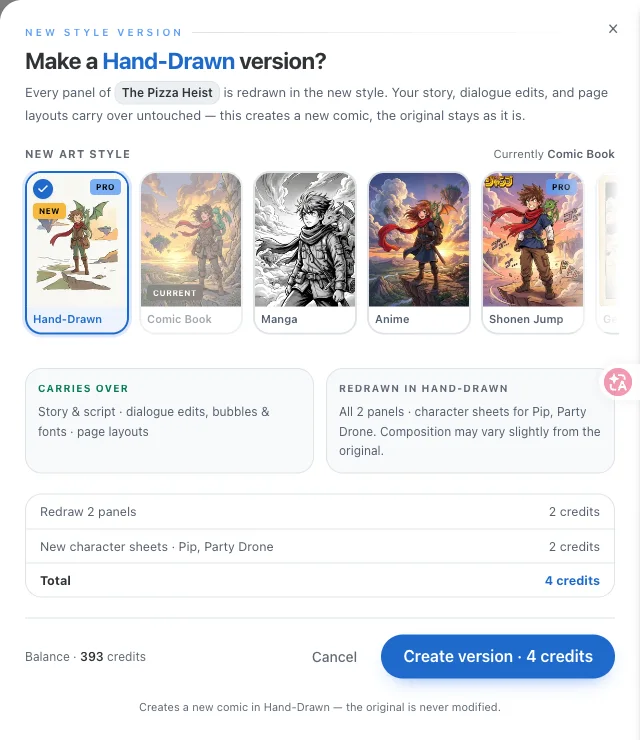
    Convert a finished comic into another style

    Like the story but not the look? Re-render a finished comic in any other art style with the same script, cast and dialogue. The original stays in your library.

    The New style version drawer: choose an art style, see what carries over and what is redrawn, and the credit total before creating the version
  6. 料金

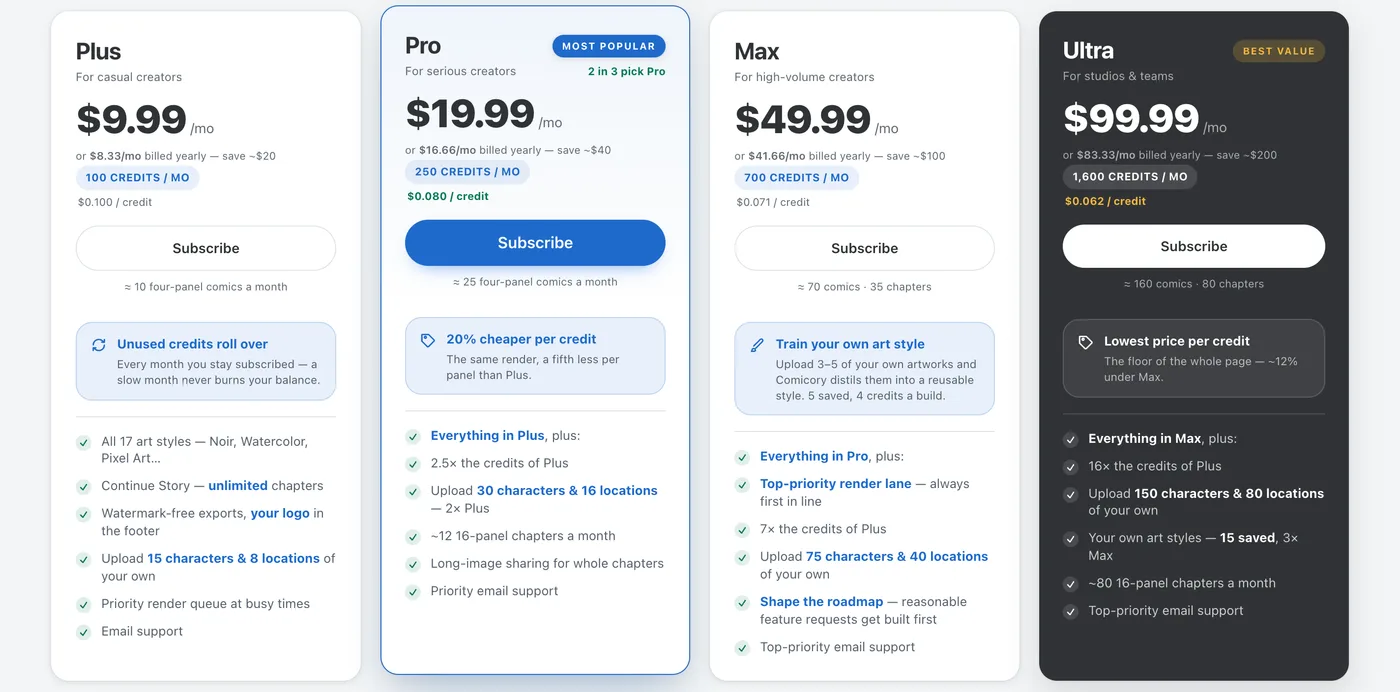
    Ultra plan and Premiere Pack

    Two new top tiers for heavy creators: the Ultra subscription with the lowest price per credit on the site, and the one-time Premiere Pack of 1,500 credits.

    Comicory pricing cards: Plus, Pro, Max and the new Ultra plan

欲しい機能はありますか?

次に作る機能を教えてください

ここに並ぶ更新の多くは、クリエイターからの一言がきっかけで生まれました。