Sound effects: a fourth bubble kind you can tilt and scale
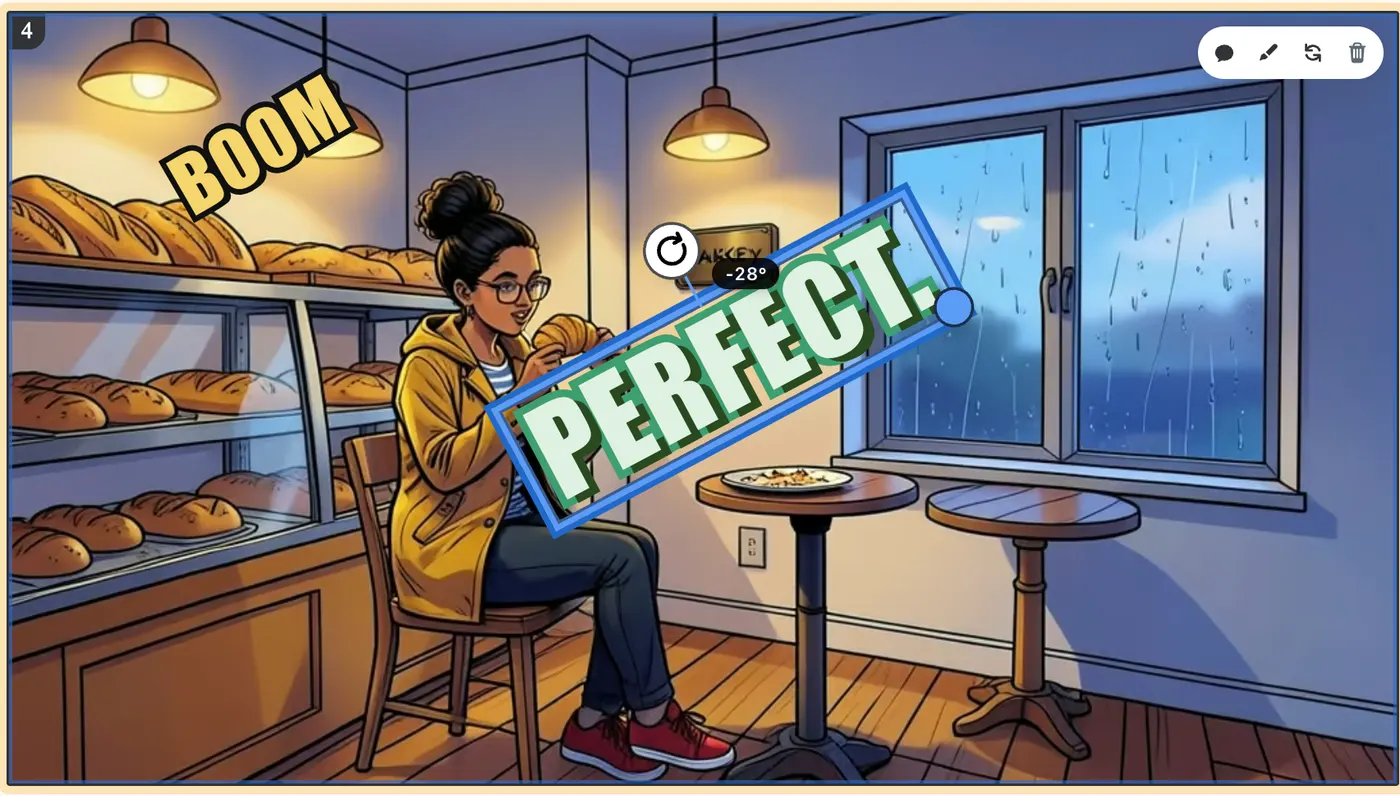
BOOM, CRASH, GASP — sound effects now have their own bubble type. No box, no speaker: one word in big outlined display lettering, drawn in whatever bubble theme the panel uses. Drag it next to the action, rotate it with the handle above the word, scale it from the corner.
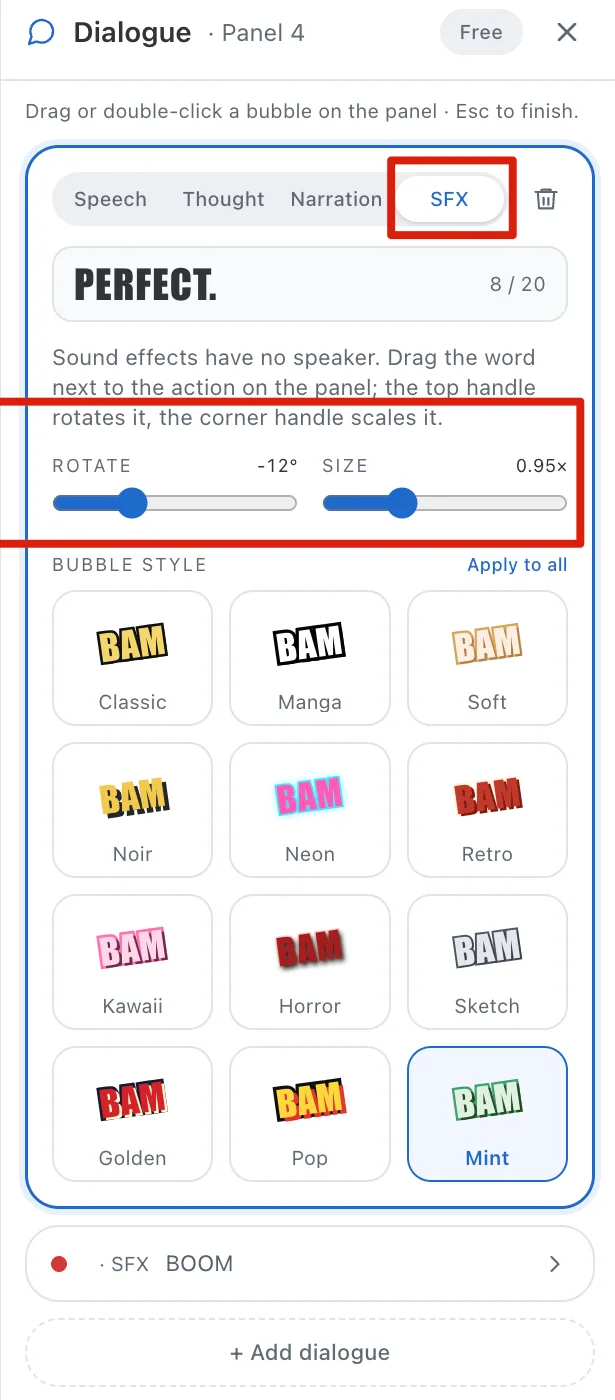
Open Dialogue on any panel, add a bubble or pick an existing one, and switch it to SFX. The word is capped at 20 characters and always set in capitals.
Rotate runs from −30° to 30° (hold Shift to snap to 15° steps); Size from 0.5× to 2×. The sliders in the drawer and the handles on the panel move the same values, and every export — pages, long image, PDF, CBZ, PPTX, video — bakes the exact tilt and size you see.
Every one of the twelve bubble themes has its own sound-effect look: Classic's yellow-on-black, Manga's white ink, Noir's gold, Neon's glow, Pop's red offset. Pick it from Bubble style like any other bubble.
Scripts pick this up too: when your story marks a sound effect (SFX, EFFET BD, 💥 BAM!), the script keeps it as an SFX bubble instead of folding it into a caption.