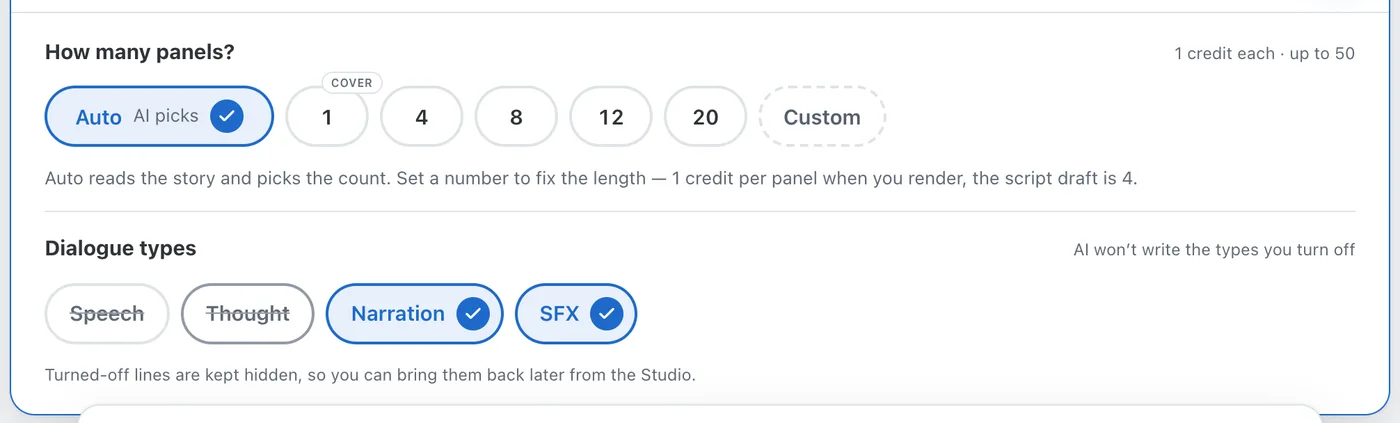
Dialogue types: turn off speech, thoughts, captions or SFX
Want a comic told in captions only, or with no captions at all? Pick which kinds of text your comic carries — Speech, Thought, Narration, SFX — and the script is written that way. Anything turned off is hidden, never deleted, so you can bring it back at any time.
Set it once when you start: the Dialogue types row sits under the panel count in the story editor. Every new chapter inherits the setting, and the Create next chapter drawer lets you change it for that chapter only.
Change your mind on a finished comic from the Rules tab in the Studio: the Dialogue types card applies to every chapter at once. Turn a type off and its lines disappear from the panels and from every download — images, PDF, PPTX and video. Turn it back on and the same lines return exactly as they were, with an Undo in case you slip.
Single lines work the same way. In a panel's dialogue editor, the new eye button hides one line without deleting it; hidden lines stay listed with a Show button. Delete still removes a line for good.