New
See every page of your comic at once
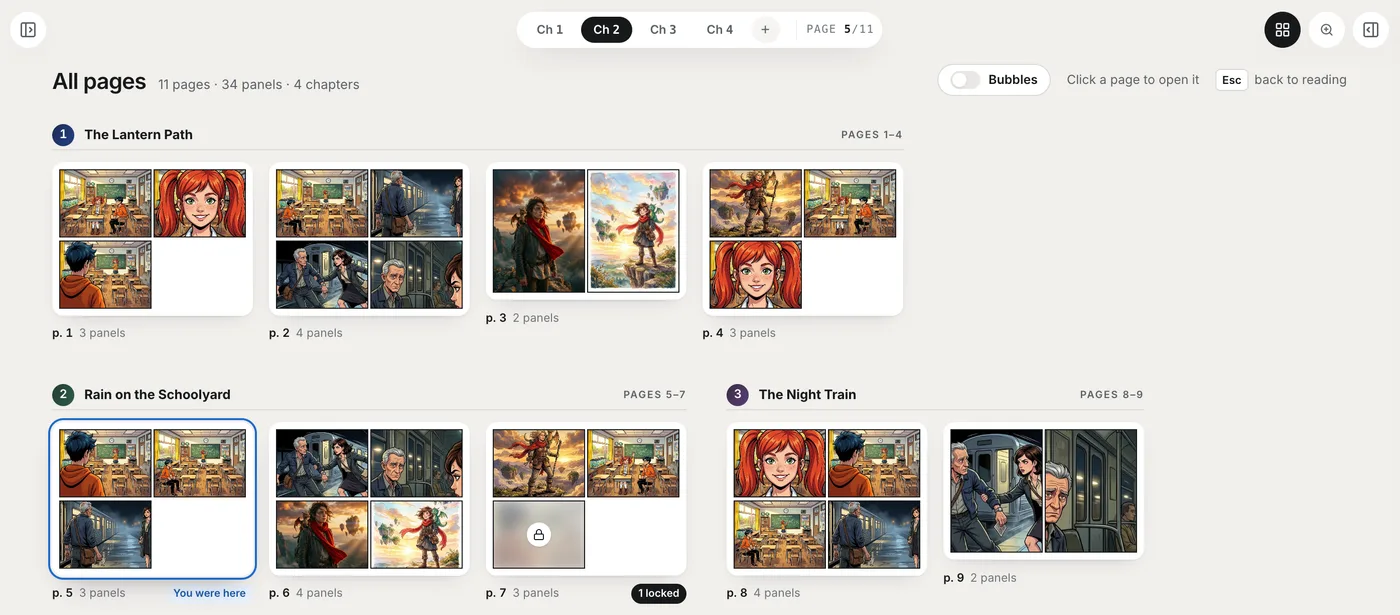
A new All pages view lays out every page of your comic, grouped by chapter, so you can check a long story at a glance and jump straight to any page.
Open it with the grid button at the top right of the editor, or press G. Click any page to go back to reading at that page; Esc returns you to where you were.
Pages with locked, drawing or failed panels carry a badge, so the ones that need attention are easy to spot. Speech bubbles are hidden to keep the pages clean: turn on Bubbles to check the lettering across pages, and use Size to make the thumbnails bigger or smaller.
It shows up once a comic has two or more pages, on a computer or another large screen.