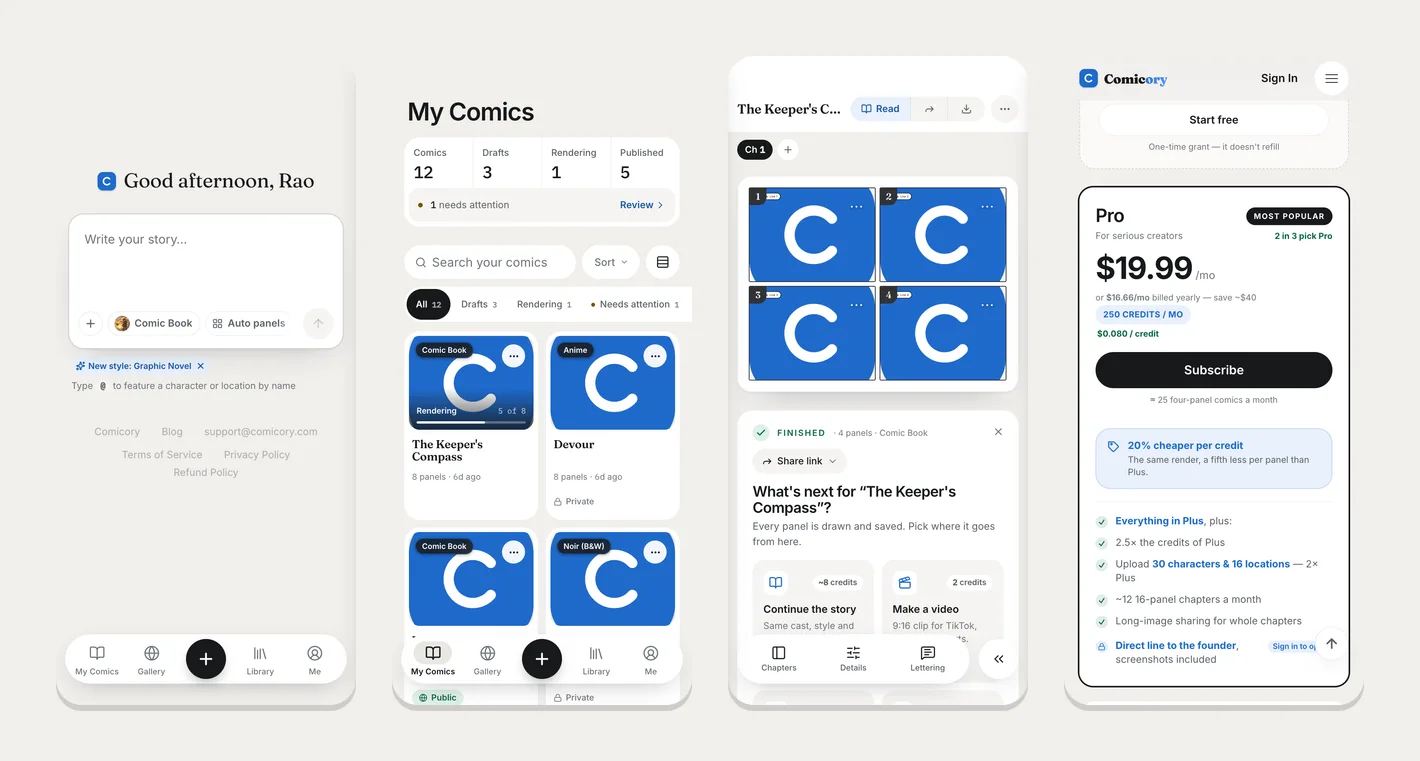
Comicory on your phone now feels like an app
The whole site has been rebuilt for phones: a tab bar at the bottom takes you to My Comics, the Gallery, your Library and your account in one tap, menus slide up from the bottom, and every button is sized for a thumb.
Add Comicory to your home screen (Share → Add to Home Screen on iPhone, Install app on Android) and it opens full screen, without the browser bars.
While you write or read a comic, the tab bar folds into a small button in the corner — tap it to jump anywhere. On a finished comic, Chapters, Details and Lettering sit in a bar at the bottom, and each panel's ⋯ opens one sheet to edit its dialogue, redraw it, fix an area or restore a version.
Your library, the Gallery and creator pages show two comics per row, the reader turns pages with a swipe, and pricing and checkout fit the screen. Nothing changes on a computer.